
Salesforce Revenue Cloud helps businesses optimize their systems across the entire revenue lifecycle for maximum operational efficiency and accuracy. It integrates quoting, pricing, billing, and revenue recognition into one seamless solution. It closes the gap left by disconnected tools and manual processes, helping teams accelerate deal closure and improve control over revenue management.
When considering this solution, one of the most common concerns businesses have is the agentforce revenue management cost and its impact on their technological spend. Given Salesforce’s modular design and enterprise-grade solutions, pricing tends to differ based on use, features, and company requirements. Thus, company stakeholders must understand this solution’s pricing in terms of value, not just in its baseline costs.
Pricing transparency is essential to the entire process. Businesses’ budgets become misaligned without a full picture of the costs involved in licensing, implementation, or other hidden fees. An industry report estimates that nearly 60% of CRM implementations exceed the original forecast owing to unanticipated expenses coupled with the evolving scope of the projects. Therefore, unstructured pricing before purchasing a service becomes an obvious risk.
Regardless of whether it is guiding small or medium-sized businesses that are looking to develop a scalable solution, large enterprises with complex revenue operations, or SaaS businesses with a subscription-based model, this document seeks to develop a better understanding of the problem. Being able to resolve the problem of misaligned billing, greater pricing accuracy, or revenue operations of Salesforce Revenue Cloud becomes a key value proposition.
What is Salesforce Revenue Cloud?
The Salesforce Revenue Cloud system provides businesses with a complete solution that handles all aspects of revenue management within its integrated framework. The system establishes links between sales teams, finance departments, and operational staff through its integration of quoting and billing and revenue recognition functions. The unified approach enables businesses to eliminate manual work processes while achieving precise results during all phases of the revenue process.
The platform enables organizations to manage multiple pricing structures and subscription services and international billing operations without interrupting their business processes. Understanding the overall Salesforce revenue cloud cost becomes important when evaluating its value, as the platform delivers long-term efficiency, improved forecasting, and better financial visibility for growing businesses.
➔ Key Components of Revenue Cloud
• CPQ (Configure, Price, Quote)
Configured, priced, and quoted, CPQ is a tool for your sales team to create quotes that are as accurate as they are customized. It employs automated pricing rules and approvals. It diminishes manual error and accelerates completion of deal cycles. It is part of Agentforce revenue management solutions, and it empowers pricing complexity while sustaining consistency, compliance, and alignment to the revenue framework in every transaction.
• Billing
The billing component automates invoice creation, tracking payments, and handling financial transactions. The system provides support for different billing models, which include recurring, one-time, and usage-based billing systems to meet the various needs of businesses.
The system uses automation to cut down on mistakes while enhancing cash flow and delivering invoices on schedule, which enables companies to sustain their financial precision and operational productivity throughout their increasing revenue streams.
• Subscription Management
Subscription Management handles the complete process of recurring service operations, which includes customer onboarding, contract renewals, service upgrades, and subscription terminations. The system provides smooth contract administration while it protects correct billing information and revenue tracking. This element provides essential support to subscription-based businesses as it enables them to control their recurring revenue streams while delivering improved customer service.
• Revenue Recognition
The process of revenue recognition automates revenue recording to meet established accounting standards. The system uses billing information and contract details to verify correct financial records. The system enables finance teams to complete their work more quickly because it minimizes manual tasks and mistakes while maintaining financial transparency, which helps the business make better decisions and plan its financial future.
➔ Why Businesses Choose Revenue Cloud
Companies select Revenue Cloud because it enables them to handle intricate revenue processes through structured operations and controlled systems that provide complete operational oversight. Organizations gain operational advantages from using one unified system that enables their teams to work together while accessing shared organizational data. The process results in speedier contract negotiations, enhanced precision, and superior revenue projections.
The platform supports various pricing options, which allows it to function effectively for both subscription-based and hybrid business models. Companies achieve higher growth and better customer experiences through process improvements that decrease the need for manual work. The company develops stronger financial outcomes together with improved decision-making abilities and a revenue stream that becomes more standardized and predictable over time.
• End-to-end revenue lifecycle management
Revenue Cloud manages the complete revenue lifecycle as an integrated system from quote to cash. The integrated method delivers maximum system visibility together with complete system accuracy while it removes all data silos from the system. The solution enables businesses to coordinate complex processes while providing consistency between sales, finance, and operations.
• Automation of billing and pricing
Automation of billing and pricing is a result of advanced rules and minimal manual touchpoints. Revenue operations benefit from improved invoicing accuracy, faster processing, and streamlined pricing consistency. The efficiency brought to the organization improves the customer experience while shifting team focus from administrative tasks to more strategic efforts.
• Scalability for growing businesses
Salesforce Revenue Cloud enables businesses to grow because it can handle their increasing complexity needs, user requirements, and transaction volume demands. The system maintains operations through changing pricing structures and international business activities. When evaluating Salesforce Revenue Cloud pricing, scalability becomes a key advantage because the platform maintains its value to businesses during their growth period.
Salesforce Revenue Cloud Pricing Overview
Salesforce Revenue Cloud pricing is established to demonstrate the platform’s complete range of functionalities and flexible pricing options. The pricing model requires businesses to pay for their chosen modules, user base, and their specific customization requirements instead of offering a fixed package. Organizations can customize their solution according to operational needs while they maintain control of their spending. The process of budgeting and planning for the future requires organizations to comprehend all elements that contribute to their total expenses.
➠ Is Salesforce Revenue Cloud Free?
Salesforce Revenue Cloud does not provide a free plan, as it is designed for advanced business needs. The solution requires payment because it includes tools for creating quotes, managing billing, and handling revenue operations. The Salesforce revenue cloud license cost depends on users and modules, but its automation, accuracy, and scalability make it a valuable long-term investment.
➠ Pricing Model Explained
• Subscription-based pricing
Salesforce Revenue Cloud allows payments to be made in installments instead of a high upfront cost. With this model, companies are guaranteed ongoing access to new resources and maintenance. When considering Agentforce revenue management pricing, this model enables companies to standardize their expenditures with their revenue; they can also modularize their spending on the pricing management software to serve their current business needs.
• Per-user/per-month structure
Pricing tiers in this model are not just based on the number of users, but also on the number of active users in a given month. With this model, companies can control their spending by issuing licenses to members of a team, not on every level. With this model, the expenditures of the company are scaled with the growth of the team or company, so a large consistency in team size needs to be considered when issuing licenses.
• Add-on modules cost separately
Salesforce Revenue Cloud operates through its modular system, which offers separate pricing for its CPQ, billing, and analytics components. The solution allows businesses to tailor their systems to match their specific operational requirements. The process of selecting multiple modules for implementation needs to be done carefully because it will drive up total expenses, while businesses want to achieve both operational efficiency and budget control.
Also Read: Leading Salesforce Revenue Optimization Tools for Revenue Growth
Salesforce Revenue Cloud Cost Breakdown
⇒ Core Pricing Components
• Salesforce CPQ cost (per user/month)
Salesforce CPQ starts at a basic growth-level package of $75 per user per month. Advanced levels of CPQ with additional features can cost up to $150 per user per month. Salesforce CPQ is a large portion of the Salesforce CPQ investment and is tailored to accommodate complex pricing and quoting processes. CPQ is the foundational layer of the revenue cloud salesforce pricing, and it allows sales teams to streamline the processes of quoting while ensuring uniformity in pricing. Pricing ultimately depends on your business’s goals, the version of CPQ selected, and the features included.
• Salesforce Billing pricing
Salesforce Billing is generally billed apart from CPQ and deals with managing invoicing, payments, and financial transactions. Its cost is dependent upon how much is used, the complexity of billing, and what level of features (such as automation and integrations) are required. For businesses that work with subscriptions or recurring payments, this module is usually important. While it increases the total cost, the billing functionality added to the investment simplifies the process of financial operations, decreases manual work, and helps improve cash flow management and operational accuracy.
• Platform licensing fees
Aside from considering the CPQ and Billing components, businesses need to factor in Salesforce platform licensing costs, which derive from the edition of Salesforce being used, for example, Sales Cloud or Service Cloud, and the user count. Platform licenses cover access to the fundamental infrastructure that supports all Revenue Cloud functionalities. These licensing costs are system-related to the extent of the usage and scale, and thus, can affect the cost significantly. For this reason, gaining a clear understanding of these costs is important.
⇒ Estimated Pricing Range
• Typical cost range (approximate tiers)
Salesforce Revenue Cloud pricing depends on business size and operational requirements through various pricing options. Entry-level setups start at monthly costs that begin in the lower thousands, while advanced configurations reach much higher expense levels. These tiers typically reflect the number of users, selected modules, and customization level, giving businesses flexibility to align operational needs with their costs.
• SMB vs Enterprise pricing differences
Small and mid-sized businesses usually invest in limited modules with fewer users, keeping costs relatively controlled. The enterprise sector necessitates extensive customization work together with multiple system integrations and larger user capacities, which creates increased operational expenses. Enterprise organizations need to spend more money than SMBs because their business operations operate on an international scale with complex operational requirements.
⇒ Add-On Costs
• Advanced analytics tools
Advanced analytics tools improve reporting capabilities, forecasting capabilities, and decision-making capabilities. The tools are available as paid add-ons, which increase total business expenses. Businesses that rely heavily on data insights need these features, but they should assess their actual needs to prevent spending money on features that their organization will not use.
• API integrations
The API integrations of Salesforce Revenue Cloud enable the system to connect with external systems, which include ERPs, payment gateways, and all other business applications. The company requires these integrations to operate smoothly, although the process will create extra expenses for development and maintenance work. The cost of integration work depends on the complexity of integration, which requires organizations with multiple systems to pay additional costs.
• Third-party app integrations
Third-party applications from marketplaces bring additional capabilities to Revenue Cloud by providing specialized features that meet various business requirements. The applications demand separate subscription payments, which increase total expenses for users. Businesses need to select appropriate tools that their salesforce revenue optimization partner will help them implement to achieve budget-friendly integration results.
Factors That Affect Salesforce Revenue Cloud Cost
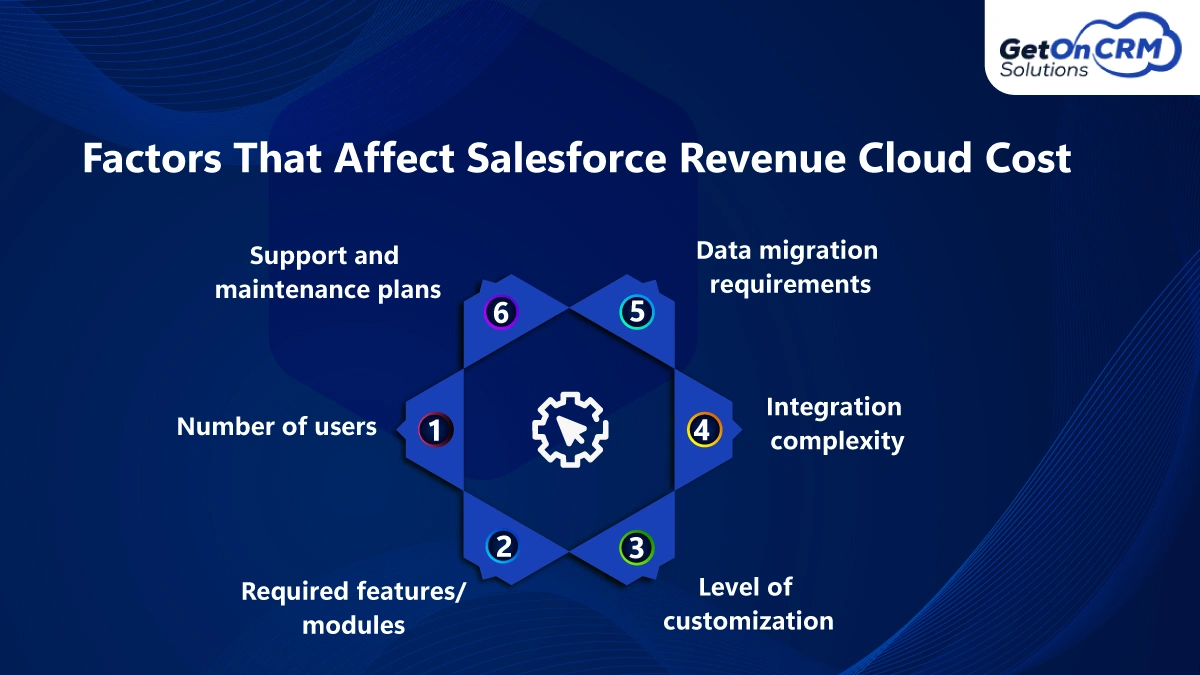
➢ Number of users
The total number of users directly affects total operational expenses because Salesforce charges according to its per-user pricing structure. The team will face increased licensing costs because every new member who joins will require additional licenses. Businesses must carefully assign access based on roles to avoid unnecessary costs, while essential users need to operate all platform functions.
➢ Required features/modules
Salesforce Revenue Cloud provides separate pricing for its three modules, which include CPQ, Billing, and subscription management. The total investment increases when customers choose additional features. Businesses should focus on modules that align with their operational needs to prevent overspending while still gaining the necessary functionality for efficient revenue management processes.
➢ Level of customization
Customization plays a key role in determining the total project expenses. The process of creating customized business systems, which include workflow automation and user interface design, requires businesses to spend additional development resources. The use of customized solutions requires organizations to spend more money on both their initial setup and ongoing system maintenance, so they must find a way to achieve a customization balance with standard platform functions.
➢ Integration complexity
The process of connecting Salesforce Revenue Cloud to external systems, which include ERP systems, payment processing solutions, and customer relationship management software, results in increased expenses. The technical work needed for the integration process depends on the difficulty level of the integration project. More complex environments require additional development resources, which result in increased time and costs for implementations.
➢ Data migration requirements
The process of migrating existing data from Salesforce faces high complexity and demands extensive resources. The effort needed for data migration depends on data volume, data quality, and data structure. Companies must complete data cleansing, data transformation, and data validation processes before they can begin their migration activities because improper planning of these tasks will result in increased expenses and delayed project completion.
➢ Support and maintenance plans
Ongoing support and maintenance work together to maintain system performance and reliability. Businesses often invest in support plans because they need help with troubleshooting, system updates, and system enhancements. The expenses increase according to the customer requirements for service, which includes dedicated support, system upgrades, and ongoing improvements that match Agentforce revenue management strategies.
Hidden Costs You Should Know
➥ Implementation Costs
The total cost of implementation includes both consulting fees and system installation expenses. Businesses typically hire experts to design workflows, configure modules, and align the platform with operational needs. Technical personnel need to perform setup and configuration tasks because complex environments require their specialized knowledge. The total expenses of a project will exceed its basic licensing costs because all expenses associated with the project need to be included.
➥ Customization Costs
Businesses incur customization costs when they modify their platform to meet their operational needs and user requirements. The project involves creating custom workflows through process development, automation rule creation, and enhancements to the user interface design for improved usability. The developed system brings efficiency improvements but demands development resources, which will raise both initial implementation expenses and subsequent maintenance duties.
➥ Training Costs
Training costs cover employee onboarding and skill development programs. Teams need proper guidance to use the platform effectively, which may involve external trainers or internal sessions. The expenses increase because the certification programs require additional costs for both administrators and developers. The organization needs these investments because they will help increase user adoption while decreasing operational mistakes and maintaining system performance throughout its entire lifespan.
Salesforce Revenue Cloud Implementation Cost
◈ Typical Implementation Timeline
The implementation timeline for Salesforce Revenue Cloud depends on business complexity and requirements. The system can be implemented within a few weeks for basic setups that require no more than minimal customization. The deployment of projects that require multiple system integrations, custom workflow development, and extensive data migration takes multiple months to achieve operational stability.
◈ Cost Estimates
The costs of implementation procedures vary based on the particular requirements of different business organizations. The typical expenses for small businesses range from $15000 to $50000, while they pay between $75 and $150 for each user every month to use CPQ, billing, and licensing services. Mid-sized companies invest between $50000 and $150000, while enterprise deployments start at $150000 and reach costs of $500000 because of their need for integrations, customization, and consulting services.
Is Salesforce Revenue Cloud Worth the Cost?
Salesforce Revenue Cloud delivers strong value by improving efficiency and accuracy while providing revenue visibility, which establishes a positive return on investment throughout its duration. The solution functions best when implemented by organizations that need to handle multiple pricing structures and subscription-based services and process numerous transactions. The SaaS, manufacturing, finance, and telecommunications industries experience maximum advantages because they need systems that can scale to handle changing revenue operations while supporting their growth needs.
Also Read: List of Salesforce Revenue Cloud Integration Services to Streamline Revenue Operations
Tips to Optimize Salesforce Revenue Cloud Cost
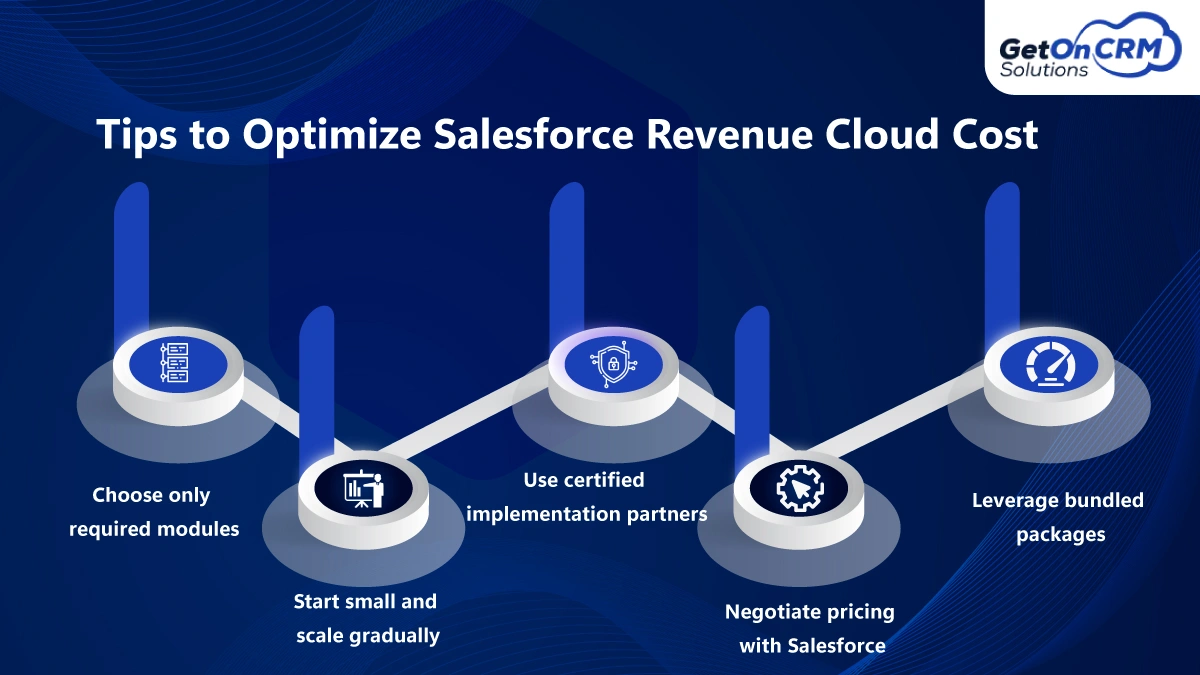
• Choose only required modules
By choosing just the modules that fit current business requirements, you can limit spending. Don’t include features that are never used, as these just add cost with no value. A focused approach means you spend only what is needed now, while also retaining the ability to add features later as business needs change.
• Start small and scale gradually
The phased implementation of Revenue Cloud allows businesses to control spending better. Starting with basic features means that initial spending is kept low. The implementation is also easier as teams can gradually adjust. As the business grows and requirements become clearer, other modules can be added. The method enables better cost control while reducing the possibility of developing unnecessary features.
• Use certified implementation partners
Salesforce setup partners certified have the greatest knowledge of setup and configuration to reduce risks of expensive mistakes. They have the expertise to eliminate wasted customization to fit the platform with the business objectives. This saves time and reduces future expenses and the effort of maintenance. Overall performance and the return on investment are significantly impacted positively.
• Negotiate pricing with Salesforce
Salesforce pricing cannot be substantiated, even when rough estimations are made. Most of their price quotes are concepts and figures, and for negotiation purposes, they are best taken as such, to which lower prices, multiple features, and longer time frames apply. These types of constraints are the most useful for price reduction or work scope. The less expensive offering of services with adequate support relies most on the constraints of requirements.
• Leverage bundled packages
Bundled packages provide multiple features at a lower price when compared to buying individual modules. The method enables substantial cost savings because it delivers necessary resources to the user. Businesses need to assess bundled solutions because they help them find the right balance between system capabilities and expenses while achieving permanent optimization of agentforce revenue management billing cost.
Salesforce Revenue Cloud vs Competitors Pricing
➱ Comparison with Other Tools
Salesforce Revenue Cloud competes with solutions like Oracle Revenue Management, Zuora, and SAP Revenue Cloud. Oracle offers strong financial capabilities, Zuora focuses on subscription billing flexibility, while SAP suits large enterprises. Salesforce stands out because it provides a complete system that users can operate easily while connecting all their sales processes, billing tasks, and revenue management work.
➱ Value for Money Analysis
From an ROI standpoint, Salesforce Revenue Cloud provides value through its automated systems, which decrease operational errors and enhance business productivity. Although the initial expenses are considerable, the solution delivers long-term advantages through its ability to scale operations, speed up deal processes, and its precise revenue monitoring capabilities, which make it a wise investment for companies pursuing long-term development.
Ready to Take Control of Your Revenue Cloud Costs?
There are many components of the Salesforce Revenue Cloud pricing model outside of simple licensing, including, but not limited to, the implementation, customizations, and operational expenses of the Revenue Cloud. Knowing these components assists companies in both planning the Salesforce Revenue Cloud pricing model and avoiding unnecessary surprises. Working with the right Salesforce revenue optimization partner means streamlined implementation, oversight of expenses, and cost maximization on the platform.
Although the initial investment may appear daunting, the long-term dividends of business process automation, increased accuracy, and improved scalability are paramount to the sustenance of business growth. Organizations should make a deliberate investment to determine their needs, define the requisite features, and ensure the business aligns with the revenue goals of the Other Cloud.