Transform Your Workflow With Seamless Cloud Storage And Salesforce Integration

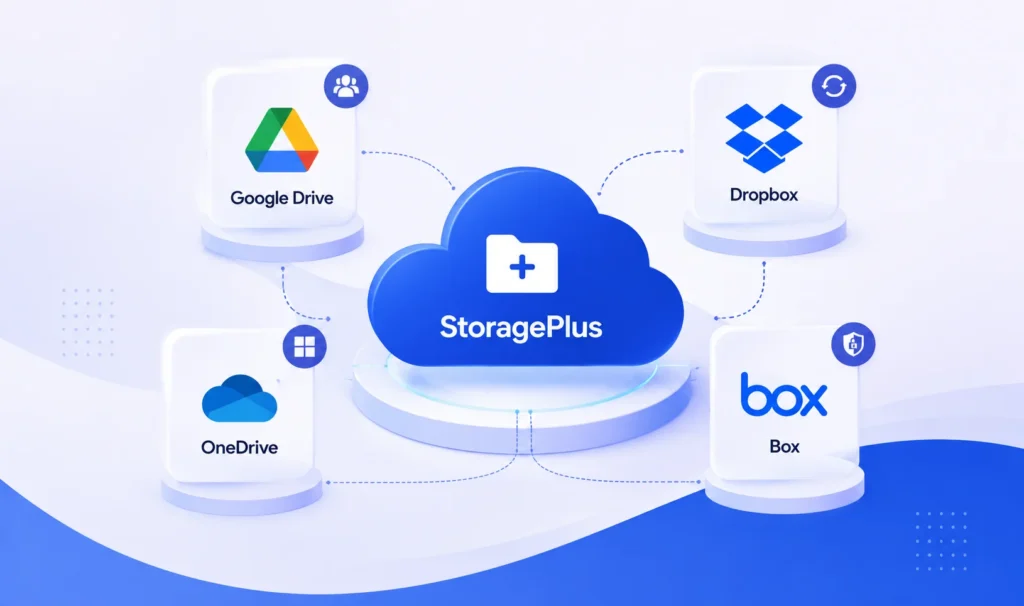
 Experience unified, secure document management by connecting your preferred cloud storage — Google Drive, Dropbox, OneDrive, or Box — with Salesforce, without ever switching platforms.

One app. Four leading storage providers. Zero file duplication in Salesforce.

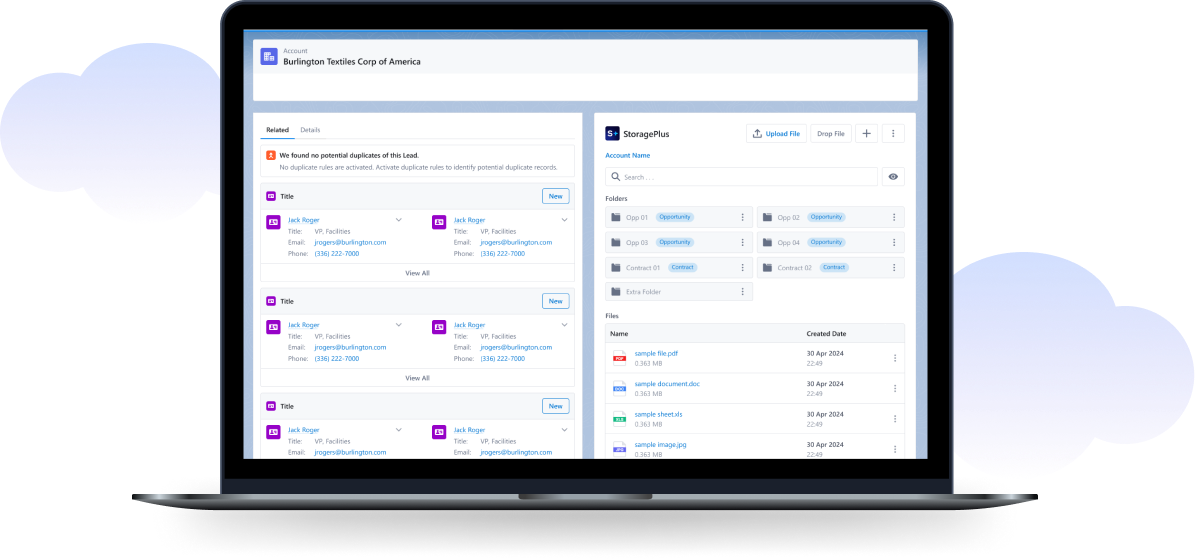
 StoragePlus simplifies document management, enhances team collaboration, and boosts productivity by connecting your cloud storage of choice — Google Drive, Dropbox, OneDrive, or Box — directly with Salesforce. It’s a cost-effective way to streamline operations while keeping large files out of Salesforce storage limits.

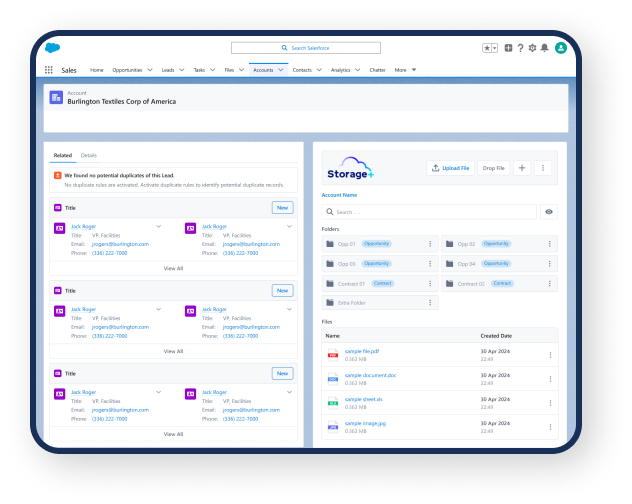
Key BenefitAccess, manage, and share files from Google Drive, Dropbox, OneDrive, or Box directly from any Salesforce record — all from one consistent interface.  

Choose Your Cloud, Keep One Experience

StoragePlus is provider-agnostic. Pick the storage platform your organization already trusts, and StoragePlus delivers the same seamless Salesforce experience across all of them: 

Switch or add providers at any time from the StoragePlus Configuration screen — your workflows stay exactly the same. 

choose-your-cloud-img

Significant Business Impact After Integration With Storage Plus

Document management time reduction

Decrease the time spent locating, managing, and sharing documents.

30-50%

Task completion improvement

Increase the number of tasks completed on time due to streamlined workflows.

20-40%

Customer satisfaction boost

Enhance customer satisfaction through efficient and accurate information handling.

10-20%

Operational efficiency increase

Achieve higher overall operational efficiency.

20-30%

Data security enhancement

Improve data security metrics with robust permissions and compliance features.

40-50%

Email traffic reduction

Lower email traffic through centralized file sharing and communication.

30-40%

Salesforce file-storage cost savings

offload large files to your cloud provider

20-30%

StoragePlus Dashboards

Storage plus integration with salesforce

Key Features of Storage Plus

Unified Access

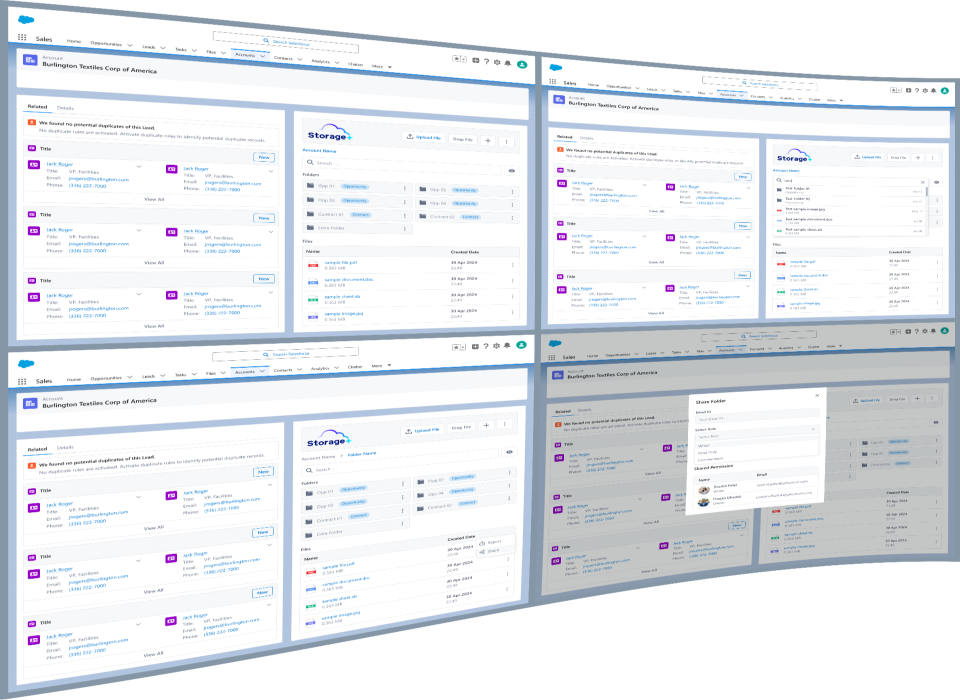
Direct access to your Google Drive, Dropbox, OneDrive, or Box files from Salesforce record detail pages. Create, delete, and manage folders and files without leaving Salesforce.

Multi-Provider Flexibility

Connect Google Drive, Dropbox, OneDrive, or Box and select your active provider in a single click. Consistent experience regardless of the storage backend.

Enhanced Collaboration

Seamless file sharing with team members and external partners, with real-time collaboration and permission management powered by your chosen provider.

Integrated Workflow

Perform all file operations — upload, download, share, delete — within Salesforce. A single source of truth for your documents.

Automated Folder Structure

Automatically creates cloud folders named after your records and organizes files within accounts, opportunities, and any custom or standard object.

Secure and Compliant

Combines Salesforce security with the enterprise infrastructure of Google Drive, Dropbox, OneDrive, and Box. Granular permission and access management for users and groups, maintaining industry compliance standards.

Storage plus integration with salesforce dashboards
Effortlessly manage and share files within Salesforce with Storage Plus.

Benefits of integrating Storage Plus with Google Drive

Increased Productivity

Improved Collaboration

Cost Effective

Streamlined Operations

Benefits of Storage plus integration with google drive

Freedom of Choice

Practical and Real-World Use Cases of Storage Plus

Storage-Plus
Sales Teams

How It Works

storage-how-it-works-1

01

Install StoragePlus from the Salesforce AppExchange.

storage-how-it-works-2

02

Connect your cloud provider — Google Drive, Dropbox, OneDrive, or Box — from the StoragePlus Configuration screen.

storage-how-it-works-3

03

Set your active provider and assign user permissions.

storage-how-it-works-4

04

Start managing files directly from your Salesforce records — folders are created and organized automatically.

Experience Seamless Integration with StoragePlus!

Frequently Asked Questions

Google Drive, Dropbox, OneDrive, and Box.

Yes. You can configure multiple providers and choose the active one for record file storage at any time.

No — files live in your connected cloud provider, helping you avoid Salesforce storage limits while keeping everything accessible from Salesforce records.

Yes. StoragePlus combines Salesforce's security model with the enterprise-grade infrastructure and permission controls of each storage provider.

Case Studies

Recent Blogs