
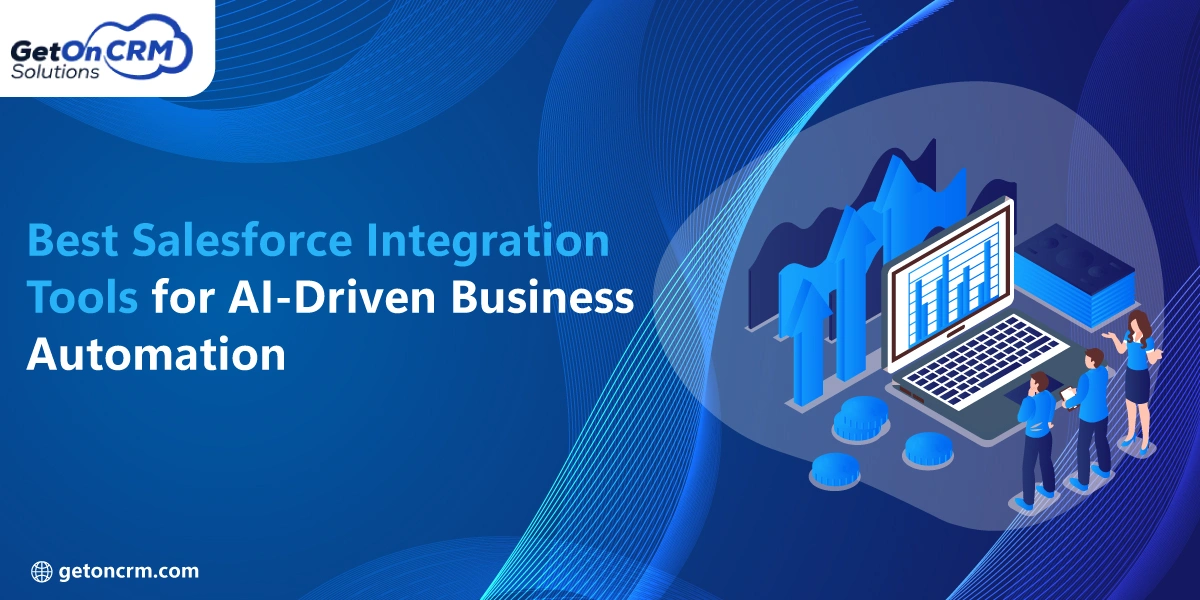
Businesses today use a lot of different software programs, platforms, and tools every day. Without a proper connection process, data management across these tools turns out to be a big challenge. It is no wonder that companies turning to Salesforce integration services are the ones achieving faster workflows, better customer experiences, and smarter automation. Besides, businesses today rely on AI-powered systems to help them mitigate manual labor and increase productivity.
Artificial intelligence is still a major factor in how businesses operate. Customer support automation, AI-powered sales insights prediction, and AI-enabled organizations’ quick decision-making are just some of the examples of how AI is transforming business. Generative AI Salesforce integration tools, when used together, can not only free users from doing repetitive work but also improve system-to-system communication and enable them to work in harmony.
Connected workflows have been proven to bring time-saving, error-reduction, and business process efficiency benefits to organizations. The use of top Salesforce integration tools enables companies to hook up their CRM systems, marketing tools, accounting software, customer service platforms, and AI applications all under a single roof. Recently, getting help from professional Salesforce integration services has become a favorite choice for a lot of companies that want to set up reliable and scalable business automation systems.
Businesses aiming for sustainable growth often partner with a trusted Salesforce integration company to automate operations and improve efficiency. According to Salesforce, AI-powered automation can boost employee productivity by up to 40%, helping businesses enhance customer engagement and overall performance.
What Are Salesforce Integration Tools?
Salesforce integration tools are software products that enable Salesforce to be connected with other business systems. Using such tools, companies can exchange data between software applications automatically and efficiently without manual data input.
The Salesforce integration tool can also be used to help enterprises link CRM systems, ERP platforms, cloud applications, email marketing systems, analytics software, and AI-powered platforms. Doing those integrations will guarantee the simultaneous updating and synchronization of all business data.
Besides, Salesforce integration CRM software is used by businesses to help them facilitate communication between different departments and create a centralized access point to key information. What is more, employees can have direct access to updated data in one place, saving them from the bother of switching back and forth between multiple systems.
Introducing AI technology to automation has brought efficiency to a whole new level. That is why AI integration tools are capable of automatically handling customer information, preparing reports, forecasting sales trends, and even taking care of support requests. That way, businesses are empowered to make better decisions while at the same time limiting human mistakes.
Key Features to Look for in Salesforce Integration Tools
❒ AI and Automation Capabilities
Among a number of factors, the inclusion of AI features counts the most when it comes to selecting a Salesforce integration platform. Businesses nowadays can hardly do without tools that are capable of not only automating repetitive work but also making their workflows efficient and helping them with prompt decision-making.
➤ Some of the key features of AI that are worth mentioning are:
• Automated workflows
• AI-driven suggestions
• Forecasting analytics
• Machine learning competencies
• Enhanced customer experiences through smart interaction
In fact, many businesses choose Generative AI Salesforce integration software because it helps them manage business processes like customer service, content creation, and smart business processes.
❒ Ease of Use
An intuitive platform contributes to shortening the time required to make the integrations and onboarding new users. A large number of organizations opt for no-code or low-code platforms just because they lower the technological complexity while at the same time saving time.
➤ The major usability features that users are looking for include:
• Drag-and-drop workflow designers
• Organized and visualized data on a single screen
• Quick and easy process setup
• No-code supported automation
Simple enough to be used by non-professionals, a number of affordable Salesforce integration platforms have been introduced to the market with the aim of assisting small and growing companies that need straightforward integrations but have a low level of technical knowledge.
❒ Scalability and Flexibility
It is inevitable that a decent Salesforce integration solution will not only meet the current demands but will also be ready to cope with the ones in the future. Businesses moving forward might require the aforementioned platforms to be able to deal with more applications, higher volumes of data, and more complex processes.
➤ With scalable systems, companies can:
• Endure and support business growth
• Quickly integrate new systems
• Handle larger data sets
• Proactively prepare for minimizing headaches down the road
Being flexible in the choice of technology and integration platforms also means that a company can move faster to adopt newly introduced technologies and meet the increasing need for automation.
❒ Security and Data Synchronization
Security becomes paramount, especially when data about business and customers has to be shared with different systems. Trustworthy integration platforms should be capable not only of securing data transfers but also of providing the ability to maintain real-time synchronization in order to keep the most accurate and updated information.
➤ Highlighting security aspects include:
• Data transmission encryption
• Access control based on role assignment
• Support for compliance
• Instant data synchronization
• Secure API management
Many companies that are collaborating with Salesforce integration experts are selecting platforms with robust security mechanisms and reliable synchronization functionalities so that their sensitive business information is well protected.
Also Read: List of Salesforce Revenue Cloud Integration Services to Streamline Revenue Operations
Best Salesforce Integration Tools for AI-Driven Business Automation
1. MuleSoft Anypoint

MuleSoft Anypoint is one of the most advanced integration tools owned by Salesforce that can be used by businesses. It aims to enable seamless application communication via API-led connectivity by linking together applications, databases, devices, and cloud services. This platform will make it possible for businesses to set up a single system where all software programs can easily share data with each other.
Often, large companies collect tons of customer information through several different platforms. MuleSoft is there to lend a helping hand by supporting the secure and immediate sharing of data between systems. Enterprise-scale operations, AI-powered automation, and complex workflows are just some of the features supported by this platform. It comes as no surprise that businesses reach out to Salesforce integration services that have experience with MuleSoft for their needs.
>Besides that, it will also be a very good choice for those companies that are digitally transforming and in need of a Salesforce integration solution that is not only flexible but also scalable.
➥ Advantages
∘ Extensibility towards growing enterprises
∘ Provision f. API management and monitoring
∘ Facility for complex workflows and integrations
∘ Ability for automation, especially for large systems
∘ Data synchronization with security assurance across various platforms
➥ Disadvantages
∘ High cost, not affordable for small and medium businesses
∘ Technical knowledge is necessary for both installation and continuing operations.
∘ The software is difficult for novices to understand.
It is safe to say that MuleSoft is considered by a wide margin the best of Salesforce integration tools when it comes to enterprises that are handling complex business environments and large-scale automation.
2. Zapier

Zapier is a no-code automation platform that makes it possible for businesses to integrate Salesforce with thousands of third-party applications without writing a single line of code. It automates repetitive tasks between two or more applications by setting up simple automation workflows called “Zaps”.
Companies can employ Zapier to, for example, move leads gathered by a form into Salesforce automatically, update customer records, create notifications, or do data synchronization across various platforms. Startups and small businesses have a clear preference for Zapier since it is an easy-to-use platform, and no advanced technical knowledge is required.
Many businesses turn to affordable Salesforce integration tools like Zapier because they allow fast deployment and have easy-to-use automation capabilities.
In fact, Zapier is an excellent option to consider when implementing Salesforce integration crm software aimed at enhancing productivity and workflow automation.
➥ Advantages
∘ Interface geared for easy use and beginners
∘ Rapid non-programmer setup
∘ Reasonably priced plans for small businesses
∘ Can create links and workflows with a very large number of applications
∘ Saves precious time through automation of workflows
➥ Disadvantages
∘ Limited customization is possible when configuring complex workflows
∘ Does not make sense for enterprise-level use
∘ Performance might get impacted if the demand for highly complex automation grows
Still, Zapier is among the very best Salesforce integration tools for those businesses that want simple, cost-effective, and quick automation solutions.
3. Workato

Workato is a platform focused on enterprise automation that merges integration management with AI automation of workflows. By using it, companies can make the departments of sales, customer service, marketing, finance, HR, etc., operate automated processes.
This smart automation platform allows the creation of business workflows infused with intelligent decision-making elements based on machine learning, which is just one of the many great features of Workato. Usually, companies purchase the Workato component as part of the whole Salesforce integration ecosystem, which, in addition to streamlining operations, also provides efficiency.
The answer lies in the fact that this tool can combine cloud apps, databases, APIs, and business systems into one single environment. It is, however, also growing in popularity among businesses discovering Generative AI Salesforce integration tools for smarter automation.
➥ Advantages
∘ AI automation features that are very advanced
∘ Workflow orchestration support at the enterprise level
∘ Fashioned for large organizations
∘ Top-notch integration features of cloud applications
∘ Enables productivity increase through the use of intelligent automation
➥ Disadvantages
∘ The high-end pricing plan is unlikely to be suitable for small businesses
∘ Advanced setup presupposes technical knowledge
∘ The implementation phase can be fairly long
As a matter of fact, Workato is a popular choice of Salesforce integration specialists for its strong capabilities in automation via intelligence and execution of integration within an enterprise-level benchmark.
4. Boomi

Being a cloud native integration platform, Boomi is geared to accommodate the hybrid IT environments of today. It can assist companies in integrating cloud applications, on-premise systems, APIs, and data sources by means of a flexible integration architecture.
Multi-platform operators are the ones who use Boomi quite a lot to get rid of complicated data management and inefficiency in their operations. Automation, data synchronization, API management, and workflow optimization are just some of the functions supported by the platform.
Being a versatile Salesforce integration tool, Boomi has a significant presence amongst the best sellers in the field. On the other hand, those Salesforce integration specialists who are well-known for their trustworthy services have, in various instances, picked Boomi for large-scale digital transformation projects of their clients.
➥ Advantages
∘ Systems can be installed flexibly in the cloud and on-premises
∘ Strong support for data management and synchronization
∘ Quite capable of coping with business growth
∘ Reliable for hybrid IT environments
∘ Supports both automation and API integration
➥ Disadvantages
∘ The UI/UX is considered outdated by some users
∘ Features for expert users might require training
∘ Beginners might find the setup a bit challenging
Boomi stands as a good choice for companies planning to get a dependable Salesforce integration solution for their complicated yet scalable operations.
5. Jitterbit

Jitterbit is an API integration and workflow automation platform with a focus on business connectivity and rapid implementation. It enables enterprises to integrate Salesforce with cloud applications, databases, and enterprise systems efficiently and quickly.
Companies that want to implement the solutions quickly turn to Jitterbit because it allows the integration procedures to be simplified to a great extent, and the price is very competitive. Especially, that does the job for companies that want to have reliable automation without posting a hefty amount for enterprise-level platforms.
Definitely, a great number of businesses are looking for affordable Salesforce integration tools and consider Jitterbit because it offers excellent features for integration, but at a much lower price than some of the competitors in the enterprise segment.
Not only that, but the platform is well-suited for usage in conjunction with Salesforce integration services in order to achieve the best operational efficiency while at the same time reducing manual work.
➥ Advantages
∘ Implementation is fast and easy
∘ Pricing is good for businesses that are expanding
∘ Good API integration abilities
∘ Supports automation processes
∘ Simple interface for basic integrations
➥ Disadvantages
∘ Analytics features are limited
∘ The integration ecosystem. s smaller compared to the major platforms
∘ May lack support for highly advanced enterprise workflows
Jitterbit is a wise choice for businesses that need the best Salesforce integration tools for fast and reliable automation at a reasonable cost.
6. Celigo

Celigo is a cloud integration platform that enables easy connectivity of various cloud-based applications. Strong Salesforce integration is one of the major reasons the platform is highly rated in the market. Also, a wide range of pre-built automation templates helps in reducing the implementation timelines significantly.
It is through Celigo that companies can integrate Salesforce with their eCommerce, accounting, customer service, and marketing systems. Those enterprises that are using Salesforce integration CRM software generally like Celigo because it is quite simple to set up and manage their workflows
As a result, Celigo lends itself most perfectly to those businesses that are looking for a quick launch and straightforward automation without getting into the complexity of high-level technical configurations.
➥ Advantages
∘ Quick and easy setup process
∘ Superb inventory of built-in templates
∘ Facilitates cloud and SaaS app integration
∘ User-friendly even for non-technical admins
∘ Reduces the number of repetitive business processes
➥ Disadvantages
∘ Restricted personalization choices for extremely intricate processes
∘ Not the best fit for requiring enterprise-grade automation
∘ Use of advanced integration features may need extra assistance
If we consider the aspects of simplicity, speed, and cloud-based automation, Celigo is recognized as one of the best Salesforce integration tools in the market.
7. Tray.ai

Tray.ai is a low-code platform for automation and integration built to power AI-driven workflows and modern business automation. It empowers organizations to not only automate processes and connect applications but also build flexible workflows through both a visual tool and AI-enabled functionalities.
The solution is rising as a favorite among businesses that are at the stage of discovering Generative AI Salesforce integration tools, as it offers sophisticated business automation and further customizability of workflows.
Tray.ai is very useful in assisting businesses to carry out automation in sales processes, customer engagement, data management, and operational work. Framework-wise, Tray.ai users are those who require flexibility and scalability for creating advanced automation systems that fit their specific needs.
➥ Advantages
∘ Wide range of options for workflow customization
∘ AI-assisted automation features are quite strong
∘ Very supportive of advanced business automation
∘ Scalable to a good extent
∘ Perfect for modern-day AI and data-driven operations
➥ Disadvantages
∘ Startup budget-wise, it may be tough to afford it
∘ Features at an advanced level can only be learned through training sessions
∘ A novice may find it difficult to configure the initial setup
Organizations looking for some of the best Salesforce integration tools among those that offer AI-powered automation and flexible workflow management list Tray.ai quite frequently.
How to Choose the Right Salesforce Integration Tool
❒ Business Requirements
Each enterprise has its own unique needs for integration. While some simply need a basic CRM connection made, others may be looking for a comprehensive enterprise-level automation solution.
➤ Some of the considerations that companies make while assessing Salesforce integration options are:
• Needs for data synchronization
• Objectives of workflows automation
• Requirements for AI integration
• Expected reporting and analytical functionalities
By utilizing the right Salesforce integration CRM software, organizations have the potential to enhance their operational efficiencies and improve customer satisfaction.
❒ Technical Resources
Level of IT competence is an important consideration in platform selection. Businesses with limited IT staff may lean towards no-code offerings.
➤ Steps to take into consideration are:
• Personnel with technical skills available
• Installation ease
• Future maintenance
• No-code/low-code feature
To shorten the process, many organizations turn to professional Salesforce integration services.
❒ Scalability
A decent integration tool doesn’t just suffice for now, but also should be capable of handling the future. Therefore, businesses should pick the products that will still be able to give them a helping hand for an increasing volume of data or even more applications down the track.
Investing in scalable systems for their long-term automation strategy is important for those companies.
❒ Testing and Evaluation
➤ The step right before signing the dotted line is comprised of these activities:
• Taking a free trial
• Scheduling a demo
• Trying out automated workflows
• Measuring integration performance
• Verifying security compliance
Integration experts highly recommend using the tools with your own scenarios for testing in order to ensure installation is performed correctly and flawlessly.
Common Challenges in Salesforce Integrations
❒ Data Synchronization Issues
One of the dirty secrets of Salesforce integration is that data synchronization problems are bound to happen at some point. If the systems are not well connected, companies could be stuck with the same record appearing multiple times, having customers’ data not up-to-date, and reporting that is not accurate. Without real time syncing, it is difficult to keep the correct and up-to-date data for the business.
➤ Main problems:
• Duplicate customer records
• Invisible or outdated information
• Errors in reporting
• Data updates are taking a long time
Many firms make use of trustworthy Salesforce integration services and top-selling tools to get rid of problems concerning the accuracy of data and enhance the efficiency of their workflows.
❒ Security and Compliance Concerns
When it comes to companies handling client information, data security and regulatory compliance are crucial. Threats like data breaches and unauthorized access can be heightened due to inadequate security measures.
➤ Key points to cover security include:
• Data encryption
• Secure API connections
• Role-based access control
• Strong authentication systems
Getting hold of secured Salesforce integration crm software and consulting with professional Salesforce integration services providers is the way businesses keep their sensitive data secure.
❒ Integration Complexity
Introducing multiple systems, cloud platforms, and applications in Salesforce integration efforts may significantly escalate the level of complexity. Large companies will naturally require custom integrations and advanced workflows.
➤ Frequently seen integration problems include:
• Numerous software integrations
• Incompatibility between legacy systems
• Complicated API management
• Managing large data sets
As a Salesforce integration company that you can trust, we can support businesses in dealing with the intricate and complex workflows that are characteristic of scalable top Salesforce integration tools.
❒ User Adoption and Training Challenges
Sometimes, it is the employees who get stuck trying to keep up with the new automation tools and connected workflows. Failure to adequately train the workforce would make it impossible for a company to realize the benefits of the integration work.
Passing the hurdle of adoption can be carried out by giving the employees training, making automation platforms simple, providing technical support, and choosing user-friendly and affordable Salesforce integration tools. Companies that have taken help from a Salesforce integration specialist have witnessed that they can also easily implement integrations and get users on board.
Also Read: Salesforce Implementation Cost Guide: Budget, Pricing & ROI Insights
Future of AI-Driven Salesforce Automation
❒ Generative AI Integrations
The AI landscape is undergoing rapid development. The newest Generative AI Salesforce integration software is capable of handling customer support operations automatically, producing sales insights, drafting marketing materials, and enabling up-to-date decision-making.
Operating costs are being lowered, and customer engagement is increased through automation powered by AI.
❒ Hyperautomation Trends
The application of AI, machine learning, robotic process automation, and integrations to completely automate business operations is known as hyperautomation.
This phenomenon is one of the reasons for the increase in salesforce integration solution platforms that are quite advanced.
❒ Predictive Analytics and Smart Workflows
The use of AI-assisted predictive analytics enables businesses to view their future sales, discern customer behavior patterns, and improve the optimization of their workflows.
Many top Salesforce integration tools have included predictive functionalities that positively impact operational efficiency.
Choose the Right Salesforce Integration Tool for Smarter Automation
To be able to keep up with the pace of the market, businesses need integrated systems nowadays. Being able to work from a good workflow can result in less manual work and may even give rise to an AI-powered automation system.
Therefore, the choice of reliable Salesforce integration services is a step towards the creation of better customer experiences and the streamlining of operations. It is advisable that businesses conduct thorough assessments of the automation capabilities, the capacity for scaling, security, pricing, and ease of use before deciding on a platform.
Another factor that helps with removing implementation issues and facilitating the technical challenge is the involvement of a professional Salesforce integration company. Besides smart integrations, companies are getting themselves ready for their future growth and digital transformation.
If you are familiar with MuleSoft, Zapier, Workato, Boomi, Jitterbit, Celigo, or Tray.ai, you should know that these platforms differ not only in their features but also in the goals that those who use them want to achieve, as well as the tech requirements that they demand.
While AI technology is evolving at a fast pace, businesses will be increasingly depending on the best Salesforce integration tools, affordable Salesforce integration tools, and Generative AI Salesforce integration tools for boosting productivity, customer interactions, and overall business performance.