
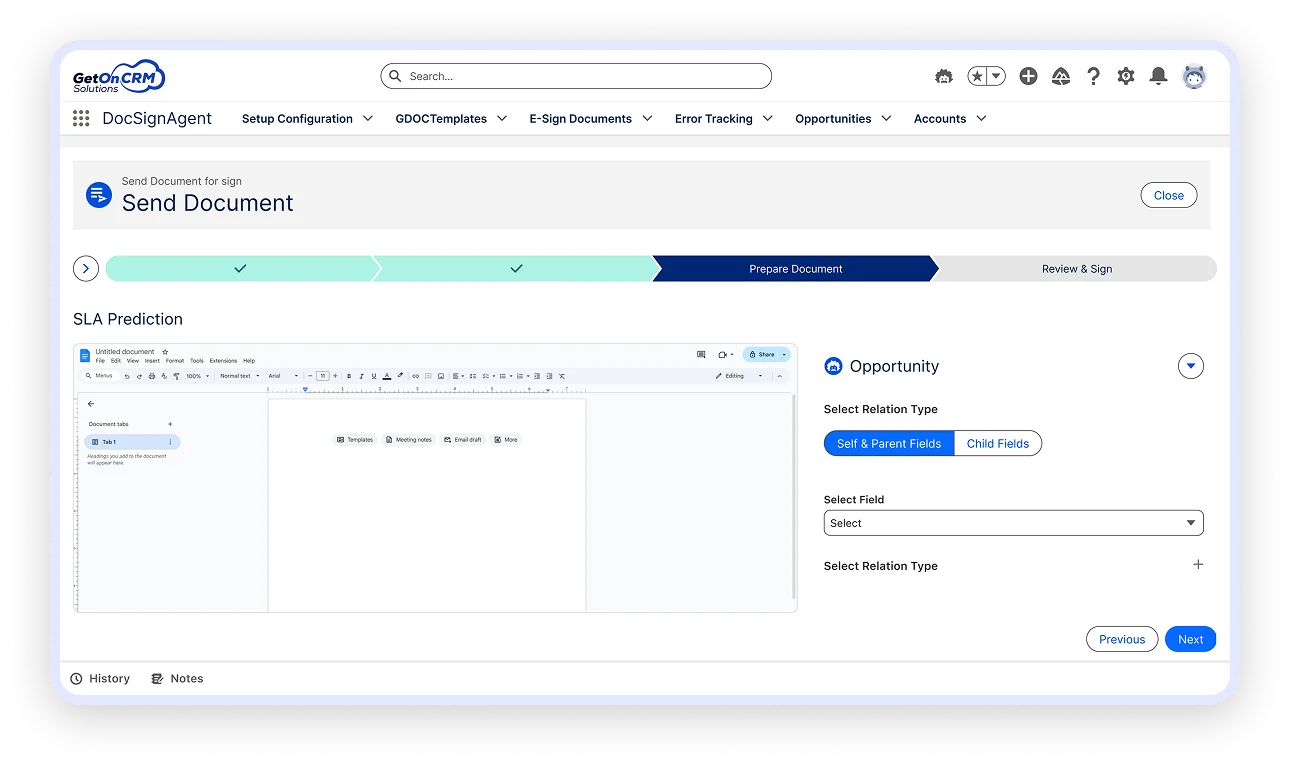

All Inside Salesforce.

Simplify your Salesforce documentation using docsign agent — a native Salesforce document automation tool and Salesforce e-signature solution built directly on Salesforce. Generate documents using Google Docs and securely sign them using eMSigner or Zoho Sign — without switching platforms.

Automate approvals, contracts, and compliance documents faster, smarter, and without code using advanced Salesforce document automation capabilities. Automate approvals, contracts, and compliance documents faster, smarter, and without code.

DocSignAgent 2
divider

Why DocSignAgent?

Managing documents outside Salesforce leads to delays, errors, and poor visibility. docsign agent brings document creation, approvals, and e-signatures into one seamless Salesforce document management system experience.

divider

Core Capabilities

Google Docs–Based Document Generation

Create professional documents using Google Docs templates, directly connected to Salesforce data through powerful Salesforce document automation.

Smart Data Merge from Salesforce

Automatically populate documents using real-time Salesforce records using the intelligent Salesforce document automation tool.

core-capability
divider

Built-In E-Signature Integrations

Dynamic Object & Field Selection

(API-based support for any e-signature provider - e.g., Zoho Sign, Emsigner.) Choose the Salesforce e-signature solution that fits your business needs.

  • Secure, legally binding e-signatures
  • Multiple signers and approval stages
  • Reviewer and approver roles
  • Initiate signing directly from Salesforce

Send Documents to Any Email

Share documents for signing or review with internal or external recipients using the docsign agent platform.

  • Custom signer order and roles
  • Automated email notifications
  • Secure signing links via Zoho Sign or Emsigner
  • Works seamlessly inside Salesforce

Complete Document Tracking & Audit Trail

Stay informed at every stage of the document lifecycle.

  • Status tracking: Draft, Sent, Signed, Reviewed, Declined
  • Signer activity, timestamps, and approval history
  • Final signed documents stored securely as Salesforce Files

No seat-based pricing

Scale teams freely —
pay only per Company.

*You pay only for the product; e-signature API charges apply as per the provider’s pricing.

Key Benefits

Key Benefits

Ideal Use Cases

How It Works

Requirements

How It Works
divider

Support & Onboarding

Our experts help you every step of the way.

Email and live chat support

Enterprise SLAs available

Setup guides and admin documentation

Assistance with configuration, training, and integrations

Ready to Simplify Salesforce Documentation?

Automate document generation, approvals, and e-signatures—without leaving Salesforce.

line-border

Frequently Asked Questions (FAQs)

DocSignAgent is a zero-code solution that enables native document generation and e-signatures within Salesforce using Google Docs and Emsigner, designed for faster approvals and improved compliance.
Yes. DocSignAgent supports document generation and signing for Salesforce CPQ use cases, including dynamic line items, pricing tables, and approvals.
Absolutely. You can send documents to any email address and define their roles as reviewers or signers, even if they are not Salesforce users.
Yes. DocSignAgent uses secure protocols via Google Docs and Emsigner APIs, ensuring all documents are compliant and traceable within Salesforce.
It pulls live data from both parent and child records, making it easy to populate templates using merge fields directly from Salesforce objects.
No extra tools are needed. Just ensure you have access to Google Workspace, Emsigner API, and Salesforce Lightning Experience.