

If you’re trying to decide whether Salesforce Free, Salesforce Starter Suite, or Salesforce Pro Suite fits your growing business in the USA, you’re not alone. Most small teams reach this exact point—knowing they need a CRM but unsure which Salesforce plan actually checks all the boxes.
In fact, salesforce lists the Starter Suite at just $25 per user/month and the Pro Suite at $100 per user/month for U.S. customers.
Choosing the right Salesforce plan can save you hours and avoid tool overwhelm. That’s why this guide breaks down how Salesforce Free, Salesforce Starter Suite, and Salesforce Pro Suite differ in features, setup experience, and real business value—so you can choose the one that matches your workflow, team size, and budget.
We’ll walk through what each plan includes, how they compare, and who they’re ideal for, helping you make a confident, practical decision without the confusing tech jargon.
Choosing between Salesforce Free, Starter, and Pro Suite can feel like trying to pick the “right-size” tool for your growing business. Let’s break it down so you know exactly which plan actually matches your day-to-day operations.
Salesforce Free, Starter, and Pro Suite: Full Feature Breakdown for U.S. Small Businesses
Salesforce Free CRM: Features and Best Use Cases

Salesforce Free CRM Suite is built for tiny U.S.-based teams (up to 2 users) who want to get started with managing leads and contacts without paying anything.
It includes lead, account, contact, and opportunity management, so you can track potential deals and customer conversations.
There’s also case management for basic customer service, plus simple email-based marketing to keep your small client pipeline organized.
Since it’s free, there’s no contract required and you’re not forced to input a credit card.
Salesforce Starter Suite: Pricing, Features, and Ideal Users

The Salesforce Starter Suite is the next-level CRM for small U.S. businesses ready to grow out of very basic tools. It adds built-in sales flows and lead routing, which helps you move leads through stages in a more structured way rather than manually.
On the service side, it gives you email-to-case management, so you can capture customer issues and track them in the same system.
For marketing, you get dynamic email campaigns, form-building, and analytics — plus Einstein Send Time Optimization to send outreach when it’s most likely to be effective.
You can also embed payment links or build a storefront, so Starter supports commerce features too.
Pricing-wise, it starts at $25/user/month for U.S. small businesses.
Salesforce Pro Suite: Advanced CRM Features for Growing Teams
If your business is scaling—you’ve got more clients, more complex workflows, and you want automation—Pro Suite is designed for you.
It includes everything in Starter, plus real-time chat, sales quoting, and forecasting to drive more predictable revenue.
Salesforce says, You get greater customization: custom apps, custom objects, and Flows for powerful process automation.
There’s also access to AppExchange, which means you can plug in third-party tools or build out new functionality as your business evolves.
For support and reliability, Pro includes more advanced features like premier support (add-on) and the ability to build more sophisticated, automated client-facing processes.
Pricing begins at $100/user/month, with an annual contract required in many cases.
Salesforce Free vs Starter vs Pro Suite: Side-By-Side Feature Comparison

Here’s a quick, no-fluff comparison to help you see what each Salesforce suite actually gives you.
| Feature | Salesforce Free | Salesforce Starter | Salesforce Pro Suite |
|---|---|---|---|
| Sales Tools | Basic contact & lead tracking | Full sales workspace, opportunity tracking, tasks, email sync | Advanced sales automation, quoting, multi-pipeline management |
| Case Management | Not included | Basic ticketing & support inbox | Full service console, case routing, SLAs, automated workflows |
| Email Automation | Not included | Basic email templates + Gmail/Outlook sync | Advanced automation, sequences, campaign workflows |
| AI Features | Limited/basic insights | Starter-level AI prompts & email assist | Expanded AI for sales, service, and marketing |
| Reporting & Dashboards | Basic dashboard | Customizable dashboards | Advanced analytics, deeper reporting filters, multi-team visibility |
| Integrations | Limited | Native integrations + AppExchange basics | Broader integrations, automation-based connectors |
| Mobile App | Yes | Yes | Yes (full capabilities) |
| Support Levels | Standard Salesforce Help Center | Guided setup + in-product coaching | Enhanced onboarding + more support options |
Want clarity on the best suite for you?
Key Differences Between Salesforce Free, Starter, and Pro Suite
If you’re stuck choosing between Salesforce Free, Starter, and Pro Suite, you’re not alone. Each option sounds good on paper—but they serve very different needs once you actually start using them day-to-day.
Here’s the real difference, broken down in a simple, USA-friendly way:
➥ Ease of Setup & Onboarding
Free: Quick sign-up, minimal setup, great for testing the waters.
Starter: Guided onboarding, templates, and step-by-step flows to help you get running without tech headaches.
Pro: More configuration options, ideal for teams that need customized pipelines and workflows.
Small teams can usually self-onboard Starter, but Pro Suite often requires a structured Salesforce implementation to enable workflows, automation, and custom processes.
➥ Sales, Service, and Marketing Features
Free: Basic contacts, leads, tasks, and simple reporting.
Starter: Sales + service + marketing in one setup, email tracking, opportunity management, basic automations.
Pro: Advanced service tools, deeper marketing features, custom objects, advanced dashboards, and multi-team workflows.
Sales-heavy teams should analyse how their workflows align with Salesforce Sales Cloud capabilities to maximize ROI—especially when evaluating Starter vs Pro.
➥ Automation Capabilities
Free: Best for very small teams or solopreneurs.
Starter: Works well as you hire your first few reps and want structured processes.
Pro: Built for growing U.S. small businesses that need serious automation, multi-department operations, and higher data limits.
Teams planning to connect Salesforce with ERPs, accounting tools, or custom apps may need Salesforce integration services to enable a smooth data flow.
➥ Scalability and Team Size
Free: Almost none—mostly manual workflows.
Starter: Includes helpful out-of-the-box automations (email, tasks, follow-ups).
Pro: Advanced automation builder, case routing, approval processes, and customizable triggers.
➥ Marketing & Email Tools
Free: Basic email sending only.
Starter: Email campaigns, templates, basic marketing automation.
Pro: More advanced marketing journeys and expanded outreach capabilities.
For businesses that need advanced automation, personalization, or multi-channel journeys, integrating Salesforce Marketing Cloud later becomes a natural upgrade path.
➥ Support & Customer Service Options
Free: Standard online resources.
Starter: Email support + guided help center.
Pro: Priority-level support options and faster case response.
➥ Integrations & AppExchange Access
Free: Limited integrations.
Starter: Connects with popular tools used in the U.S. (calendars, email, simple apps).
Pro: Wider integration library + more customization through APIs.
➥ AI, Analytics, and Reporting
Free: Basic dashboards, no real AI.
Starter: Improved dashboards and some AI-driven insights depending on configuration.
Pro: Enhanced analytics, smarter forecasting, and more AI-backed recommendations.
Pick Free to test, Starter to grow, and Pro when you’re ready to scale your entire operation.
Which Salesforce Plan Is Best for Your U.S. Small Business?
Choosing between Salesforce Free, Starter, and Pro Suite comes down to how quickly your business is growing.
➥ Salesforce Free
Good if you’re just starting and need basic contacts + leads. Simple and free.
➥ Salesforce Starter
Best fit for most U.S. small businesses. You get sales, service, and marketing tools in one place—easy, organized, and fast.
➥ Salesforce Pro Suite
Made for growing teams that need automation, workflows, and deeper service features.
So, Ask yourself: Are leads slipping or replies getting delayed? If yes, you’re ready for Salesforce Suits.
Which one feels right for you? If you’re still unsure which plan fits your operations, getting help from Salesforce consulting services can reduce setup time and prevent costly mistakes.
How U.S. Small Businesses Use Salesforce: Real-World Examples
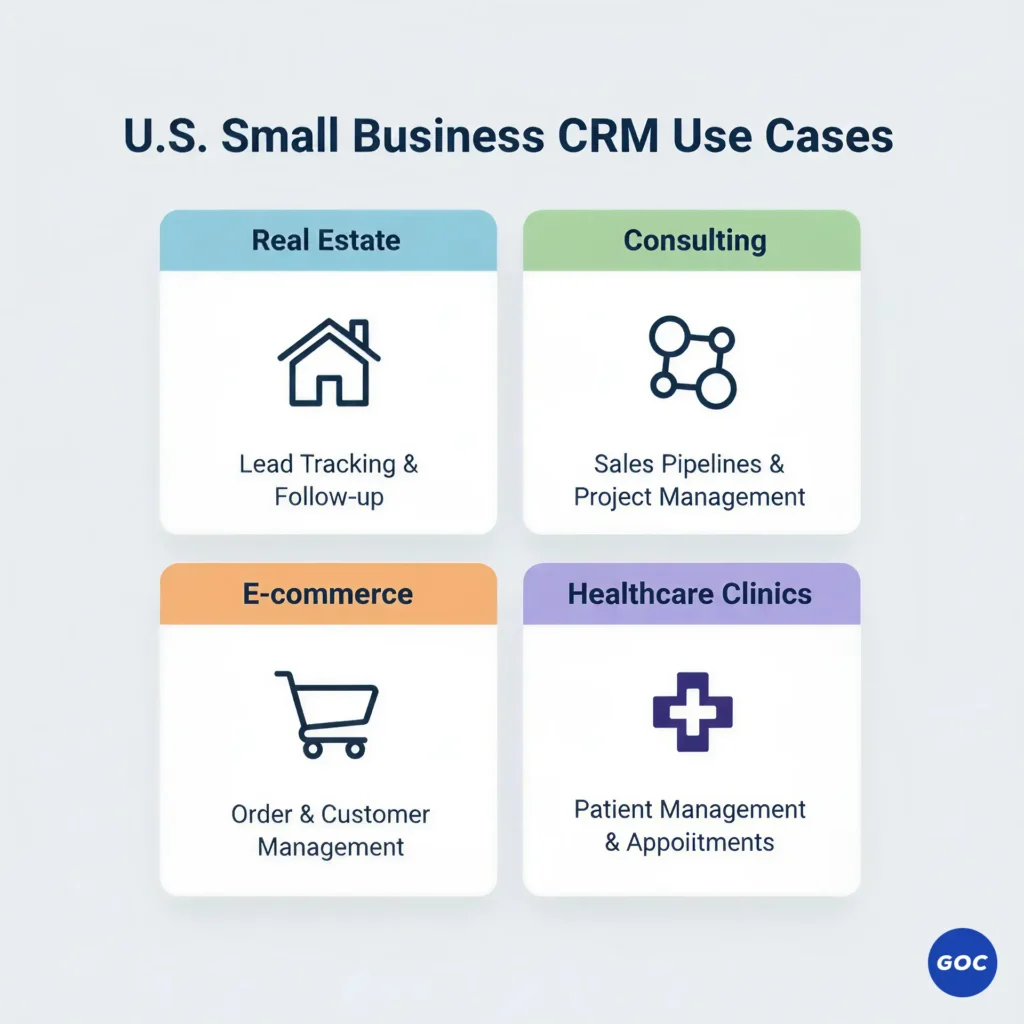
Across the U.S., small businesses—from local real estate offices to online stores and healthcare clinics—use Salesforce differently based on their size and daily workload. Here’s how each suite—Free, Starter, and Pro Suite—fits into real, everyday operations.
➥ Real Estate Teams Managing Leads and Deals
Salesforce Free helps solo realtors organize contacts, track basic leads, and avoid losing potential buyers.
Starter adds pipeline views, email follow-ups, and simple automations—great when you’re juggling open houses and online inquiries.
Pro Suite works best for multi-agent setups that need advanced task routing, detailed reporting, and faster deal handoffs.
➥ Consulting Agencies Handling Clients & Projects
Salesforce Free gives new or one-person consulting firms a place to store prospects and project notes.
Starter lets you manage proposals, client communication, and service tickets in one spot—ideal for 2–5 person consulting teams.
Pro Suite brings workflow automation, multi-step approvals, and deeper reporting, perfect for agencies scaling nationwide.
➥ E-Commerce Brands Managing Orders & Repeat Sales
Salesforce Free helps small online shops track customers and order-related questions.
Starter supports email campaigns, customer service replies, and product interest tracking—great for early growth.
Pro Suite offers advanced case management, workflow rules, and stronger analytics for stores handling heavy order volume.
➥ Healthcare Clinics Handling Patient Queries & Workflows
Salesforce Free works for basic patient inquiries and contact lists.
Starter helps small clinics automate reminders and manage service requests without manual calling.
Pro Suite supports multi-location clinics that need advanced routing, detailed case histories, and structured follow-up workflows.
Quick Checklist: How to Choose the Right Salesforce Edition

Here’s a simple checklist to help you figure out which Salesforce plan actually fits the way your business works day-to-day.
Number of users: Decide if you’re running solo, working with a small crew, or managing multiple reps.
Need for automation: Ask yourself how much manual work you want Salesforce to take off your plate.
Type of service: Your industry—real estate, consulting, healthcare, home services—shapes the tools you need.
Sales cycle length: Short cycles may fit Starter, while longer, multi-step cycles benefit from Pro.
Email campaigns: If email nurturing is a big part of your strategy, Starter or Pro will give you the tools Free doesn’t.
Customer service requirements: If you handle support cases, routing, or tickets, Pro Suite is usually the better fit.
Scalability concerns: Think about where you’re headed—choose a suite that won’t hold you back six months from now.
If you want clarity on pricing, license selection, and renewals, speaking with a Salesforce reseller partner helps avoid overspending.
Final Takeaway: Picking the Salesforce Suite That Matches Your Growth
Choosing between Salesforce Free, Starter, and Pro Suite shapes how smoothly you manage contacts, deals, and service. When you pick the right setup, you get clarity, you choose smarter, and you scale faster across your U.S. SMB operations. Each suite grows differently—your job is matching it to where your business is heading.
Are you confused about which one fits your requirement?
FAQs About Salesforce Free, Starter & Pro Suite
Is Salesforce Starter good for small healthcare teams in the USA?
Yes. Salesforce Starter works well for small clinics or hospital departments that need simple patient tracking, appointment coordination, and basic service workflows without complex automation. It’s affordable, easy to learn, and quick to set up.
What’s the main difference between Salesforce Starter and Pro Suite for healthcare workflows?
Starter gives you essential CRM tools, while Pro Suite adds automation, advanced analytics, custom objects, and multi-team collaboration—important for hospitals, referral teams, and fast-growing healthcare operations in the USA.
Can US hospitals and clinics use the Salesforce Free edition effectively?
Salesforce Free is helpful only for exploring basic CRM features. It’s not suited for real healthcare workflows like referrals, patient follow-ups, or compliance reporting that most US medical teams rely on.
Does Salesforce Pro Suite support healthcare compliance and secure patient workflows?
Yes. Pro Suite offers stronger automation, better reporting, advanced permissions, and integrations that help healthcare teams manage secure, HIPAA-aligned communication and operational workflows more effectively than Starter or Free.
Which Salesforce edition is best for improving patient engagement in US healthcare organizations?
Pro Suite is ideal because it supports personalized communication, automated follow-ups, omnichannel tools, and analytics—helping your hospital or clinic connect with patients consistently across every touchpoint.
Is Salesforce Pro Suite worth it for growing healthcare organizations in the USA?
Yes. If your patient volume, referral traffic, or service requests are increasing, Pro Suite delivers higher efficiency through automation, custom workflows, and analytics that Starter or Free cannot match.