
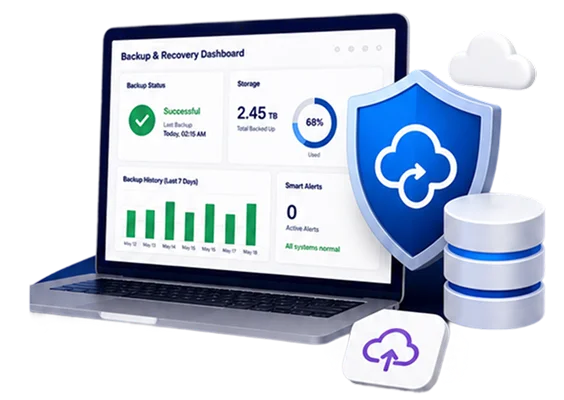
Salesforce Backup & Recovery Implementation Services

Protect your Salesforce data — and your organisation’s continuity — with a certified Backup & Recover implementation built around your specific recovery requirements

Certified Salesforce Partner  |  ISO 27001 Certified  |  GDPR · HIPAA · SOX Ready  |  200+ Implementations Delivered 

What is Salesforce Backup & Recover?

Salesforce Backup & Recover, formerly OwnBackup, is a premium data protection solution that safeguards your most critical CRM data against loss and corruption. It extends the Salesforce platform with automated daily backups, on-demand point-in-time captures, proactive anomaly alerts, and precise, relationship-aware restoration — covering standard and custom objects, attachments, files, Chatter feeds, knowledge articles, and metadata. 

Salesforce operates on a shared-responsibility model: Salesforce protects the platform and its infrastructure, but the integrity of your data is your responsibility. Accidental deletions, faulty imports, misconfigured automations, and integration errors are among the most common causes of data loss — and native tools like the Recycle Bin and weekly export offer limited, time-bound recovery. Backup & Recover closes that gap. 

GetOnCRM’s Backup & Recover consulting services are built around one principle: recovery is not just a configuration — it is a business outcome. We design, implement, and validate every deployment so your team can prove, not assume, that critical data can be restored quickly and completely. From defining backup scope and retention architecture to configuring Smart Alerts and running real restore tests, every decision is mapped to your operational and compliance requirements. 

Whether you are protecting a single production org or multiple business units and sandboxes, we ensure your backup environment is resilient, monitored, and audit-ready from day one — and that your admins know exactly how to recover when it matters.

Why Salesforce Backup Is Your Responsibility

Many organisations assume Salesforce automatically protects their data. In reality, Salesforce guarantees platform availability and disaster recovery at the infrastructure level — but it does not protect you from your own users, integrations, or automations. If a team member mass-deletes records, an integration overwrites valid fields, or a deployment corrupts data, recovering that information is your responsibility, not Salesforce’s. 

Native options are limited. The Recycle Bin retains deleted records for only 15 days and has capacity limits. The weekly data export is manual, metadata-light, and provides no granular, relationship-aware restore. Recovering through Salesforce’s paid Data Recovery service is slow, costly, and returns data in a format your team must manually re-import. 

GetOnCRM’s implementation approach starts with a backup-readiness review — assessing your current exposure, data change rate, retention obligations, and recovery expectations — before a single policy is configured. This prevents the most common and costly mistake: discovering during an actual incident that your backups were incomplete, untested, or missing critical objects. 

A properly implemented Backup & Recover deployment gives you continuous protection, early warning of anomalies, and the confidence that any record — with its full relationship hierarchy intact — can be restored without affecting valid data created since the backup. The result is measurable: less downtime, lower risk, and a recovery process your auditors and leadership can trust.

The Core Capabilities of Salesforce Backup & Recover

A complete Backup & Recover deployment covers four integrated capabilities. GetOnCRM configures all four in sequence, ensuring each layer works together to protect your data and accelerate recovery. 

Automated & On-Demand Backups

Capture complete copies of your Salesforce data and metadata — standard and custom objects, attachments, files, and Chatter — on an automated daily schedule, with on-demand backups available before high-risk events like deployments or mass updates. GetOnCRM configures backup scope, frequency, and API-efficient scheduling so coverage is comprehensive without straining your org’s API limits.

Smart Alerts & Anomaly Detection

Configure thresholds that flag statistical outliers — unusual spikes in records added, removed, or modified — so your team is the first to know about a data incident. GetOnCRM tunes alert thresholds per object to match your normal business activity, minimising noise while ensuring genuine anomalies trigger immediate notification by email, so you can act before damage spreads.

Data & Metadata Compare

Compare any two backup snapshots to pinpoint exactly what changed between them — at the record, field, and metadata level. GetOnCRM configures Compare workflows so your admins can quickly isolate accidental deletions or corruptions from intentional updates, and download affected data for review before restoring. This turns “something looks wrong” into a precise, evidence-based diagnosis in minutes.

Precision Restore

Recover the exact data you need from any backup in your history — without overwriting valid records created since the backup. Data relationships stay intact, no matter how many levels deep, so restored records reconnect correctly to parents and children. GetOnCRM defines restore procedures and validates them through real test restores, so recovery is proven before you ever need it.

Backup Infrastructure & Environment Architecture

A backup tool is only as strong as the environment it runs in. GetOnCRM treats backup as an infrastructure discipline — designing a resilient architecture across your production orgs, sandboxes, and business units rather than enabling a single default policy and hoping it holds. 

We begin by mapping your org topology: how many production orgs and sandboxes you run, which objects and data volumes each contains, and where your most sensitive and rapidly-changing data lives. From there, we design a retention architecture tailored to your needs — defining daily, weekly, monthly, and yearly retention tiers per org so you preserve what compliance and operations require without paying to store data you don’t. 

API consumption management is central to our approach. Backups consume Salesforce API calls, and a poorly scheduled configuration can throttle integrations or breach limits. We schedule and scope backups to stay efficient, excluding objects that don’t need protection and prioritising the data that does. 

We also configure access controls and permissions so backup administration follows least-privilege principles — the right people can manage and monitor backups for the right business units, and no one else. For organisations running multiple orgs, we centralise operations into a single console with governance built in. 

Finally, we align the architecture to your compliance obligations — GDPR, HIPAA, SOX, CCPA, and industry-specific mandates — ensuring retention, anonymisation, and data-subject-request handling are part of the design, not an afterthought. 

The result is a backup environment that is comprehensive, cost-efficient, governed, and audit-ready — engineered to recover your business, not just your records. 

Our Backup & Recover Implementation Process

Our implementation cycle is designed to deliver a tested, production-ready backup environment efficiently. From discovery to handover, each stage is planned to guarantee complete coverage, zero surprises, and a recovery process your team can run independently. 

Backup Readiness & Risk Assessment

We review your current data protection posture — orgs and sandboxes in scope, data volumes and change rate, existing native safeguards, and the regulatory frameworks that apply. This shapes every configuration decision that follows.

Scope & Retention Policy Design

We define exactly which objects, fields, attachments, and metadata to back up, and design daily, weekly, monthly, and yearly retention tiers aligned to your operational and compliance requirements.

Backup Configuration & Smart Alerts Setup

We configure automated and on-demand backups, optimise API usage, and tune Smart Alert thresholds per object so anomalies are caught early without false alarms. Every decision is documented.

Restore Testing & Recovery Runbooks

We run real restore tests in a controlled environment — validating that records, relationships, and attachments recover correctly — and document step-by-step recovery runbooks your team can follow under pressure.

Monitoring & Dashboard Setup

We configure backup history monitoring and notifications so your team has clear, actionable visibility into backup health from day one, not a raw log they must interpret.

Training, Documentation & Handover

Your admins receive hands-on training covering backup management, the Compare tool, and the Restore Bucket workflow. We document every policy decision so your team is self-sufficient — not dependent on an ongoing engagement for routine recovery.
Typical Implementation Timeline

1 Week For a standard single-org deployment, GetOnCRM delivers a fully configured, tested backup environment in as little as five business days — from kickoff to your first verified backup and successful restore test. Timelines extend for multi-org, high-volume, or multi-framework compliance environments. A fixed-scope timeline is confirmed during your free backup readiness assessment. 

Beyond Backup: Related Salesforce Data Services

Backup & Recover performs best as part of a broader data resilience and governance strategy. GetOnCRM offers a complete range of Salesforce data and security services for organisations at every stage of their journey. 

OwnBackup → Salesforce Backup & Recover Migration

If you are already on legacy OwnBackupGetOnCRM manages your transition to Salesforce Backup & Recover — reviewing existing policies, mapping retention and scope, and validating that no coverage is lost in the move. We ensure continuity of protection throughout, so your data is never exposed during the migration window. 

For mission-critical, rapidly-changing data, GetOnCRM configures Continuous Data Protection — capturing every change rather than relying on interval backups. This enables point-in-time recovery immediately before and after an incident, giving high-velocity orgs near-zero data loss and the ability to rewind to any precise moment. 

A structured review of your org’s security settings — profiles, permission sets, sharing model, and access controls — delivered as a prioritised remediation roadmap. This is the right starting point for any organisation that has never formally reviewed its Salesforce data security and recovery posture. 

Backups protect your data; archiving controls its cost. GetOnCRM designs archiving and storage strategies that move aged records out of your live org while keeping them recoverable — reducing storage spend, improving performance, and supporting long-term retention requirements without cluttering your production environment. 


Why Choose GetOnCRM for Salesforce Backup & Recover?

GetOnCRM is a certified Salesforce consulting partner with deep expertise in data protection, recovery, and governance across regulated industries. Here is what makes our Backup & Recover practice different. 

Recovery-First Approach

We start with your recovery objectives — not the feature list. Every configuration is traceable to how quickly and completely you need to recover, so your backups satisfy real incidents, not just project checklists. 

An untested backup is a liability. Our process includes real restore tests validating that records, relationships, and attachments recover correctly — so recovery is proven in a sandbox long before you need it in production. 

For standard orgs, we deliver a fully configured and tested backup environment in as little as five business days — protection in place fast, without cutting corners on validation. 

Our engagements are led by certified Salesforce professionals with hands-on Backup & Recover and OwnBackup experience. You are not learning alongside our team — we have done this before, in your industry. 

Every policy, retention tier, alert threshold, and restore runbook is documented. Your team receives full handover training — so you are not dependent on a retainer to manage routine recovery. 

GetOnCRM holds ISO 27001 and ISO 27701 certifications the organisation you trust to protect your Salesforce data operates under internationally recognised information security standards. 


Salesforce Backup & Recover: Key Questions Answered

Salesforce protects its platform and infrastructure, but under its shared-responsibility model, the integrity of your data is your responsibility. Native tools are limited: the Recycle Bin retains deleted records for only 15 days, and the weekly export is manual and metadata-light. Salesforce Backup & Recover provides automated daily backups, anomaly alerts, and precise restoration — closing the gap native tools leave open. 

Salesforce Backup & Recover, previously branded OwnBackup and Own Recover, is a premium solution that safeguards critical Salesforce data against loss and corruption. It delivers automated and on-demand backups, Smart Alerts for anomaly detection, data and metadata comparison, and relationship-aware restoration across standard objects, custom objects, attachments, files, and metadata. 

For a standard single-org deployment, GetOnCRM delivers a fully configured and tested environment in as little as one week — from kickoff to a verified backup and successful restore test. Multi-org, high-volume, or multi-framework compliance environments take longer. A fixed-scope timeline is confirmed during your free assessment.

Yes. GetOnCRM regularly manages transitions from legacy OwnBackup to Salesforce Backup & Recover. We review existing policies, map retention and scope, validate that no coverage is lost, and ensure continuity of protection throughout — so your data is never exposed during the migration. 

The native weekly export is manual, includes limited metadata, and offers no granular, relationship-aware restore — recovery means manually re-importing CSVs and rebuilding relationships. Backup & Recover automates daily backups, preserves relationships on restore, captures metadata, and alerts you to anomalies, dramatically reducing both recovery time and risk. 

Yes. With configurable retention (up to 99 years), granular anonymisation, and data-subject-request handling, Backup & Recover supports frameworks including GDPR, CCPA, HIPAA, and SEC 17a-4. GetOnCRM aligns retention and data-handling architecture to the specific regulations your business is accountable for. 

Untested backups are the most common cause of failed recoveries — teams discover missing objects or broken relationships only during a real incident. GetOnCRM runs real restore tests during implementation and documents recovery runbooks, so your ability to recover is verified, not assumed. 

Yes. GetOnCRM designs backup architecture across multiple production orgs, sandboxes, and business units from a single centralised console — with least-privilege access controls and per-org retention tiers, so governance scales with your organisation. 

Don’t wait for a data incident to discover your backups were never tested. Get a free Salesforce Backup Readiness Assessment and find out exactly where your data is exposed — and how fast GetOnCRM can protect it.