
Salesforce has proven itself as the leader in tech advancement and the fastest-growing CRM in 2026. While relying on Salesforce to manage sales and marketing relationships, the data migration task can’t be ignored. To offer a smooth transition, the choice of an ideal tool for Salesforce migration is crucial. Salesforce data migration services are raised as the core element for a business wanting to uplift their CRM strategy.
Migration refers to implementing tools to address the risk. Repeated insights, limited API, and data mapping can worsen your migration operation. Selecting the best Salesforce data migration tool is the best decision when you are setting up Salesforce or moving to a new firm. Companies are dealing with lots of data and strict security rules that are more challenging than before.
As businesses continue to modernize their CRM systems, choosing the right Salesforce data migration tool has become essential for ensuring a secure, accurate, and efficient data transfer. According to Salesforce, 94% of businesses report that technology has helped them better serve customers, making reliable CRM data more important than ever. The right migration solution automates complex processes, minimizes errors, and reduces downtime. In this blog, we’ll explore the best Salesforce data migration tools for businesses in 2026, along with their key features, benefits, and best practices to help you make an informed choice.
Why Businesses Need Salesforce Data Migration Tools in 2026
Migrating data to Salesforce might seem tough for an organization. When you have a quality data migration tool, migration is seamless. The migration tools deliver the accurate & safe migration of crucial data with minimal risks and a streamlined process. The top Salesforce data migration partner in 2026 delivers real-time synchronization and organizes complex data structures. These tools make firms suitable for updating outdated tools & data migration to the cloud. The tools we are going to mention below are designed for multiple requirements of a firm.
Businesses in 2026 use Salesforce migration services to manage data accuracy in Salesforce migrations. It helps to manage data volumes, avoid duplicate records during migration, and ensure security. Organizations use this tool to reduce breakdowns during the Salesforce migration.
The ideal Salesforce migration tool helps to automate all the processes, limit risks, and enhance migration speed. Salesforce migration tools securely transfer data, process it, and configure it from legacy CRMs to Salesforce. The tools are essential for unifying distributed data and eliminating manual work.
Key Features to Look for in Salesforce Data Migration Tools
✦ Data Import and Export Support
Importing and exporting data from many sources should be supported by a trustworthy Salesforce data migration tool. To handle big datasets effectively and minimize downtime, bulk import and export features are crucial. Users must have access to upgrade and remove records using this. Ensure the tool fits with the existing systems and allows smooth data transfer. A Salesforce data migration partner offers both one-time migrations and continuous synchronization.
✦ Data Mapping and Transformation
For a Salesforce migration to be successful, accurate data mapping is essential. In order to minimize mapping errors and reduce human labor, a good migration tool should offer straightforward field-to-field mapping between source and destination systems. Additionally, the Salesforce data migration tool must provide data transformation functions. It must include value standardization, format conversion, and data cleansing before migration. Mapping object relationships also helps in maintaining connections between records, guaranteeing data integrity during the migration process.
✦ Data Quality and Deduplication
One of the most crucial elements of Salesforce migration is maintaining accurate and clean data. Before importing data into Salesforce, the appropriate tool should find and remove duplicate records. By identifying missing or inconsistent data, built-in validation procedures lower the possibility of migration failures.
Before rerunning migration processes, users can detect problems and make corrections thanks to comprehensive error reporting. These features guarantee that users can rely on the data maintained in Salesforce. The salesforce data migration consultant manages migration, improves reporting accuracy, and the quality of CRM data.
✦ Security and Compliance
Sensitive customer and business data is frequently transferred during Salesforce data migration, so security is of utmost importance. To safeguard data during migration, look for technologies that integrate encrypted data transmission protocols. The limited users are allowed to perform migration tasks thanks to RBA limits.
Complete visibility into each migration task is made possible by audit logs and migration tracking. It is necessary to support adherence to internal regulations & legal demands. Throughout the transfer process, robust security features assist organizations in lowering risks while preserving data confidentiality.
✦ Automation and Scheduling
The effectiveness of Salesforce data migration is greatly increased by automation. Users should be able to plan imports, exports, backups, and synchronization tasks automatically with a high-quality migration tool. Salesforce’s recurring sync features assist in maintaining real-time alignment with corporate apps, ERP systems, and external databases. Automated procedures minimize human error, cut down on repeated administrative tasks, and boost operational effectiveness.
Also Read: Salesforce Data Migration Partner in USA for Secure Data Transfer
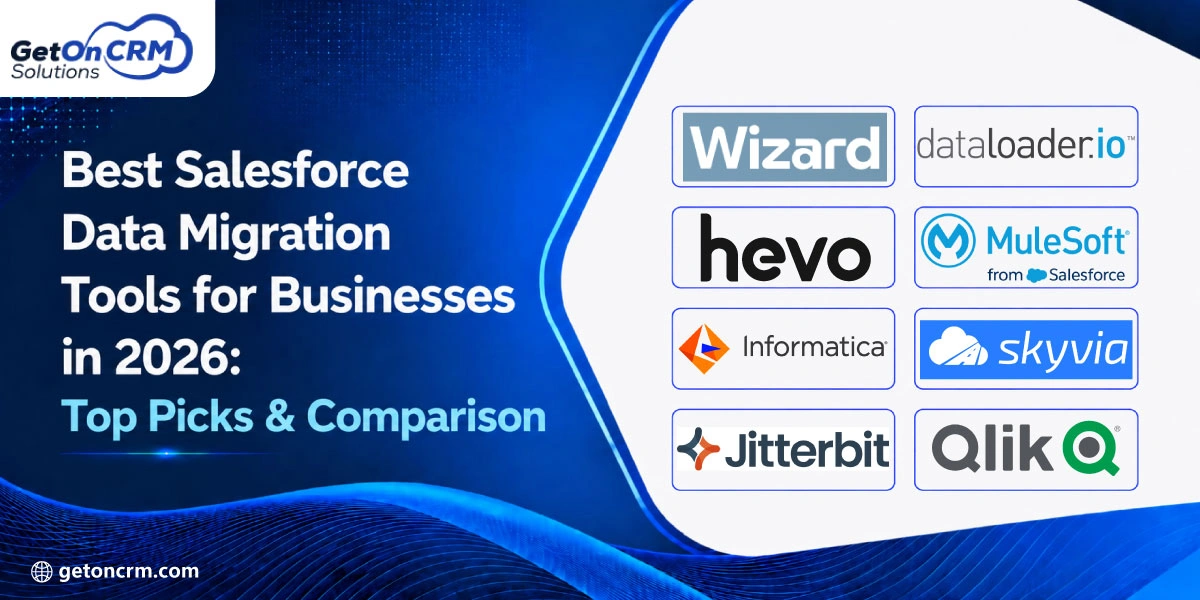
Best Salesforce Data Migration Tools for Businesses in 2026
◈ Salesforce Data Import Wizard

For companies that require a straightforward, integrated solution for importing data into Salesforce, the Salesforce Data Import Wizard is the best option. This web-based solution, which is intended for both novice and professional users, offers a guided interface for uploading data and doesn’t require any further installation. Importing standard objects like leads, contacts, accounts, solutions, campaign members, and custom objects is especially helpful.
The tool used by Salesforce migration consultants lowers the possibility of mapping errors by enabling users to map CSV file fields to Salesforce fields via an easy-to-use interface. In order to stop duplicate records from being created during the import process, it also has duplicate detection features. Organizations can swiftly finish simple migration operations without depending on third-party apps because it is integrated directly into Salesforce.
Since it can import up to 50,000 records at once, Salesforce suggests using the Data Import Wizard for smaller migration jobs. It works well for businesses doing basic spreadsheet migrations, recurring data updates, or beginning CRM setup. The simplicity of this tool made it the right choice for those who have limited technical experience.
◈ Salesforce Data Loader

For administrators and technical users who need to move or handle massive amounts of Salesforce data, Salesforce Data Loader is an ideal cloud data migration tool. Data Loader is appropriate for enterprise-level data management.
Users can effectively process millions of records using this program, which works with CSV files. Additionally, it offers command-line execution, which enables businesses to use scripts to automate repetitive migration procedures. It is useful for large-scale database upgrades, scheduled imports, and backups because of this feature.
Its ability to handle both standard and bespoke Salesforce objects is another benefit. Bulk operations can be carried out by users while preserving field mappings and verifying records prior to execution. Additionally, Data Loader produces thorough success and error reports that assist administrators in promptly resolving migration-related problems.
According to Salesforce, Data Loader is a client application designed especially for mass import and export using database connections or CSV files. Data Loader combines scalability, speed, and strong administrative controls. Businesses handling complicated migrations, historical data imports, or continuing integrations frequently rely on it.
◈ Hevo

Hevo Data is a no-code data migration and integration platform that helps businesses automate Salesforce data transfers quickly and securely. It enables organizations to move data from multiple sources into Salesforce and other cloud platforms with minimal technical effort.
With features like real-time data replication, automated schema mapping, data transformation, and error handling, Hevo simplifies complex migration workflows while improving data accuracy. Its intuitive interface allows teams to manage data pipelines without relying heavily on developers.
Hevo helps businesses reduce migration time, minimize manual errors, and maintain data consistency during Salesforce transitions. The platform is especially useful for companies that need a scalable solution for CRM data integration, analytics, and ongoing data synchronization.
For organizations planning Salesforce migration in 2026, Hevo is a strong option due to its automation capabilities, ease of use, and ability to support secure, efficient data movement across different systems.
◈ MuleSoft

One of the most complete corporate integration systems for moving Salesforce data is MuleSoft. Through a common connection architecture, MuleSoft allows enterprises to link Salesforce with ERP systems, databases, legacy apps, cloud platforms, APIs, and a variety of business applications rather than just acting as a data loading tool.
Businesses may develop reusable connections that facilitate both one-time migrations and ongoing data synchronization thanks to their API-led connectivity architecture. Businesses that manage intricate digital ecosystems where numerous applications communicate in real time may find this particularly useful.
Organizations may standardize and clean data before importing it into Salesforce thanks to MuleSoft’s broad transformation capabilities. Additionally, it includes security, governance, and monitoring capabilities that contribute to stable enterprise data transfer.
Because MuleSoft makes it easier to integrate Salesforce with essential operational systems, businesses undergoing digital transformation frequently choose it. MuleSoft markets its platform as a way to integrate Salesforce with databases, cloud services, ERP systems, and legacy software. MuleSoft continues to be one of the top options for big businesses that require highly automated, secure, and scalable migrations.
◈ Informatica

For businesses managing extensive Salesforce migrations with strict governance and compliance requirements, Informatica is a top enterprise data management platform. It is appropriate for highly regulated businesses because it integrates data integration, data quality, master data management (MDM), governance, privacy, and metadata management into a single cloud platform.
Informatica’s advanced data quality capabilities are among its greatest advantages. Businesses may ensure that only reliable data enters Salesforce by identifying duplicate entries, verifying data accuracy, standardizing formats, and enriching information before migration. These features boost CRM reliability and drastically lower migration faults.
Additionally, the platform facilitates integration with hundreds of enterprise systems, sophisticated data transformations, and automated workflows. Because of its scalability, businesses can handle millions of documents while preserving security and compliance during the migration process.
The fundamental elements of Informatica’s cloud data management platform include data integration, governance, quality, access, privacy, and master data management. Informatica is widely used by companies in data-intensive industries like manufacturing, healthcare, and finance to support long-term governance plans and preserve data consistency. For businesses that value data integrity with Salesforce migration, it is a great option.
◈ Skyvia

Skyvia is a cloud-based, no-code data integration tool that enables both technical and non-technical people to migrate Salesforce data. It allows companies to import, export, synchronize, and automate Salesforce data without the need to write scripts or install a desktop program because it was designed with simplicity in mind.
Using drag-and-drop features, customers may design migration procedures through the platform’s visual interface. By automating routine imports and exports, scheduled jobs help businesses maintain synchronization between Salesforce and other databases, spreadsheets, cloud apps, and business processes.
A variety of integration situations are supported by Skyvia, such as data replication, backups, and one-way imports. Its cloud-based architecture speeds up release & eliminates the necessity of software maintenance. Users may immediately identify failed records and track migration performance with the use of comprehensive logs and monitoring options.
Salesforce Data Loader is a cloud-based solution from Skyvia that allows for automated import and export without the need for coding. Larger companies value its capacity to simplify routine integration processes, but small and mid-sized enterprises especially gain from its simplicity of use. Skyvia offers a great blend of automation, flexibility, and scalability for businesses looking for an affordable and user-friendly migration solution.
◈ Jitterbit

Jitterbit is an enterprise integration tool that links Salesforce with a variety of business apps and assists companies in automating Salesforce data migration. Jitterbit helps businesses create scalable integration workflows that improve communication between CRM, ERP, finance, marketing, and operational systems, in addition to basic data transfers.
Jitterbit’s collection of pre-made connections and templates, which drastically cut down on implementation time, is one of its advantages. Through a centralized dashboard, businesses can automate data synchronization, convert information between systems, and track integration performance. This improves data consistency throughout the company while reducing manual labor.
Additionally, Jitterbit facilitates API administration, allowing companies to develop safe and reusable APIs for continuous Salesforce interactions. Businesses may increase operational efficiency by triggering business processes whenever data changes, thanks to advanced workflow automation.
Jitterbit offers its Salesforce integration platform, which makes enterprise integration projects easier with pre-made connections, templates, and API management features. Because Salesforce is a component of a larger, interconnected technological ecosystem, it is especially well-suited for businesses preparing long-term digital transformation projects. It is useful for both ongoing system integration and migration initiatives due to its adaptability.
◈ Qlik Talend

Qlik Talend is a powerful enterprise data migration tool in Salesforce that facilitates reliable Salesforce migrations. It combines data connection, transformation, preparation, and quality control. Businesses managing high-volume data pipelines that need reliable, accurate, and well-governed data can find this tool helpful.
Businesses can clean, standardize, enrich, and validate data during migration with Talend’s robust ETL (Extract, Transform, Load) capabilities. In addition to lowering duplicate entries and discrepancies that could affect business operations, this enhances the quality of CRM data. Additionally, its visual development environment makes it easier to create intricate integration procedures without requiring a lot of manual coding.
The platform is appropriate for businesses operating in hybrid IT environments since it connects with a wide range of cloud apps, databases, data warehouses, and enterprise systems. Migration stability and operational effectiveness are further improved by automated monitoring, scheduling, and governance tools.
Through enterprise data connectivity and data quality solutions, Qlik Talend focuses on providing reliable, AI-ready data. Talend’s capacity to guarantee that Salesforce has accurate and consistent data is beneficial to companies doing analytics, artificial intelligence, and digital transformation projects. Qlik Talend continues to be one of the most complete Salesforce migration technologies available. Businesses that need scalable connections with robust governance can choose this tool.
How to Choose the Right Salesforce Data Migration Tool
✦ Understand Your Data Volume
When choosing the best migration tool by Salesforce data migration experts, the size of your dataset is crucial. The larger datasets demand bulk migration solutions with greater processing power. So, small firms can frequently use straightforward tools like the Salesforce Data Import Wizard to migrate a limited number of records.
Scalable integration solutions that facilitate automation and performance optimization should be selected by enterprise organizations managing millions of records. You may assess data complexity, lower transfer risks, and choose the best option for your company by speaking with a knowledgeable Salesforce data migration consultant.
✦ Check Your Source System
Determine the location of your current data before choosing a migration tool. A classic CRM, ERP platform, Excel spreadsheet, CSV file, cloud application, or several databases could be your source system. The data migration tools for Salesforce should enable smooth connectivity with various sources. Selecting a system with extensive integration capabilities makes it easier to extract, convert, and load data. It minimizes manual labor and guarantees a more seamless migration into Salesforce.
✦ Review Security Requirements
When transferring customer and business-critical data into Salesforce, security should be the first priority. To safeguard sensitive data during the migration process, look for systems that include RBA controls, encrypted data transfer, and thorough audit logs. Make sure that the best data migration tools facilitate adherence to organizational security rules and relevant industry standards. Additionally, make sure the program has backup and recovery features so that data can be promptly restored.
✦ Consider Your Team’s Technical Skills
The ideal Salesforce migration tool should be compatible with the technical expertise of your team. Low-code or no-code platforms with user-friendly interfaces are frequently beneficial to non-technical users. Enterprise IT teams frequently need advanced tools like MuleSoft or Informatica. However, Salesforce administrators may favor Salesforce Data Loader for more control over bulk processes. Select a tool that lowers the need for training and raises the possibility of a successful migration.
Also Read: Salesforce Data Migration Checklist: Key Steps to Ensure a Smooth Implementation
Best Practices for Successful Salesforce Data Migration in 2026
◈ Prepare a Clear Migration Plan
A successful Salesforce setup starts with a clearly defined migration plan. Establishing specific migration objectives, such as enhancing data quality, merging systems, or assisting with a new CRM deployment, should come first. Assign roles to team members, identify the source, and decide on the data that requires migration. Throughout the migration process, setting deadlines and milestones helps to minimize delays, unnecessary problems, and communication breakdowns.
◈ Clean Data Before Migration
Reduced user adoption, duplicate entries, and error reports might result from migrating low-quality data. Remove duplicate entries, fill in any missing or incomplete fields, and remove irrelevant data before beginning the migration. To guarantee uniformity throughout Salesforce, standardize data formats. Spending effort on data cleansing increases the accuracy of migrations. It boosts CRM efficiency and gives users quality data.
◈ Run a Test Migration
Before transferring your entire dataset into Salesforce, a test migration helps find possible problems. Instead of moving the full database, start with a representative sample of records. To make sure data is transported correctly, carefully examine validation errors, field mappings, and data links. Utilize the findings to enhance mapping accuracy, improve transformation rules, and fix technical problems. Before carrying out the final production migration, a successful trial migration greatly lowers risks and boosts confidence.
◈ Validate Data After Migration
Completing the migration is just the first step; careful validation guarantees that everything has been moved correctly. Verify that no data is missing by comparing the number of records in Salesforce and the source. Verify that reports, dashboards, workflows, and automations work properly with the transferred data by testing them. Thorough post-migration validation guarantees the Salesforce environment is prepared for business operations and helps in the early detection of problems.
◈ Work with Salesforce Migration Experts
Project success can be greatly increased by collaborating with knowledgeable Salesforce migration specialists. Experts assist organizations in avoiding typical mistakes by understanding data mapping techniques, integration problems, and migration best practices. They can guarantee data accuracy, streamline transfer processes, and swiftly address technological problems while upholding security and compliance. Their knowledge minimizes downtime, lowers implementation risks, and speeds up project completion. Expert advice can save significant time and enhance overall migration results for complicated migrations.

Ready to Simplify Salesforce Data Migration with the Right Tool?
The Salesforce ecosystem is getting more widely used in 2026, which means businesses need such tools to move data safely. The best thing is that now companies have a lot of options in terms of open-source Salesforce data migration tools.
If you also seek to move your business data spreadsheets into Salesforce, then combine CRM systems. Choose ideal Salesforce data migration experts to learn more about the strategies we have mentioned earlier.