
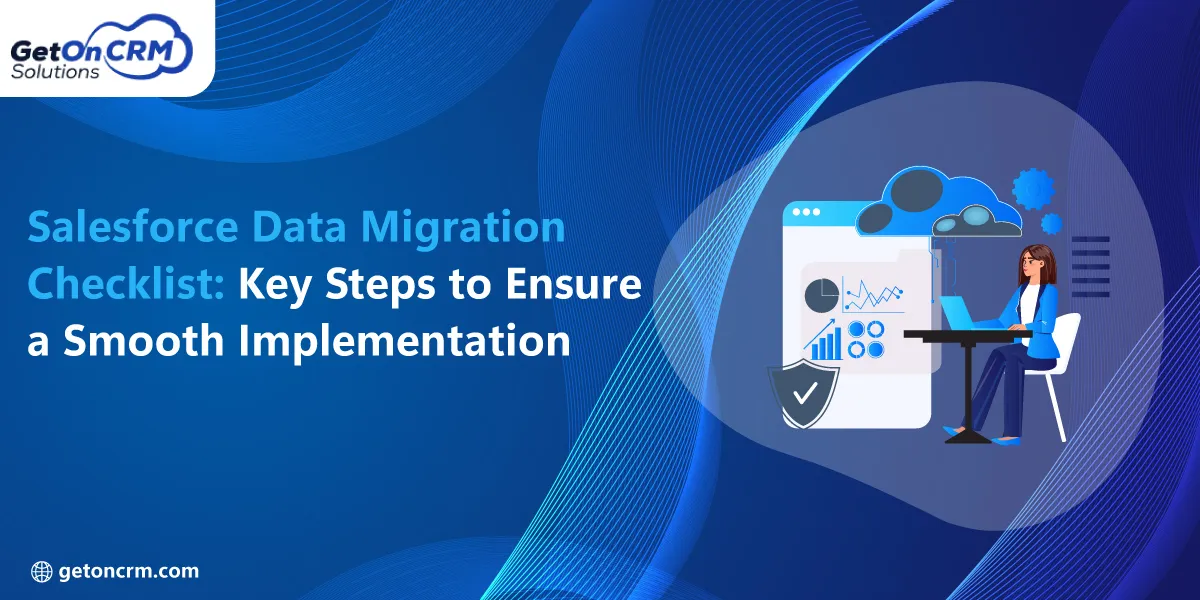
Successful Salesforce implementation majorly depends on accurate and well-curated data migration. As per the recent statistics, the global market of data migration has already reached USD 10.98 billion previously, and it is growing at a CAGR of 18.37%. Salesforce data migration services involve extracting data from legacy systems and other CRM platforms into Salesforce while maintaining data authenticity.
As businesses are increasingly depending upon Salesforce data migration services, ensuring a seamless transition has become more critical than ever. However, risks like inconsistent data formats, data loss, or duplicate records might influence your implementation success. So, valuing a structured migration checklist can help you minimize risks while encouraging data quality. This guide highlights the major steps needed to get a smooth and successful Salesforce data migration process.
What is Salesforce Data Migration?
Let us learn more about the core relevance of Salesforce data migration and how it works.
❏ Understanding Salesforce Data Migration
Salesforce data migration is the complete process of transferring business data from your existing systems or databases into Salesforce. The major goal remains to ensure that all major information is precisely moved, organized, and made accessible within the new Salesforce environment. A successful migration allows your business to handle operational continuity and improve data visibility.
Some of the most common types of data that are commonly migrated into Salesforce involve lead and prospect records, customer and contact information, and account and opportunity data. You can also migrate your customer service and support cases along with product and inventory data.
❏ When Businesses Need Data Migration?
You must consider the assistance of a professional Salesforce migration services provider in the cases listed here.
➔ CRM Replacement Projects
Many businesses outgrow their existing CRM platforms because of limited functionality and scalability challenges. So, when transitioning to Salesforce, you must migrate your historical customer data and business processes.
➔ Salesforce Implementation or Upgrade
Whether you are newly deploying Salesforce or updating it to an advanced level, data migration is something extremely crucial in the implementation process. Clean and accurate data can assure you of better Salesforce capabilities.
➔ Mergers and Acquisitions
During this phase, your company might need to consolidate data from several systems into a single Salesforce instance. This process can help you in creating a unified view of customers.
➔ Legacy System Modernization
Many organizations still value outdated mechanisms that don’t have any modern functions or relevant features. Migrating data from legacy apps to Salesforce allows businesses to align operations.
Why a Salesforce Data Migration Checklist is Essential?
When it comes to Salesforce data migration services, the process includes much more than just transferring records from one system to another. Without a structured approach, you might experience data inconsistencies and user frustration, along with operational delays.
➥ Reduces Data Quality Risks
Duplicate customer or account leads might create confusion for sales and service teams. So, a Salesforce data migration checklist involves data cleansing processes that can help you identify and remove redundant records.
Inaccurate or outdated data can impact your reporting and customer interactions. So, by assessing records and correcting inconsistencies, you can ensure that Salesforce contains trustworthy data.
➥ Minimizes Business Disruptions
A complete checklist helps teams map their dependencies and prioritize critical data. This structured approach ensures employees can continue accessing the data they require while the transition is still in progress.
Unexpected migration issues can lead to system outages and operational delays. By properly conducting testing and backup procedures, you can significantly reduce downtime while maintaining seamless day-to-day operations.
➥ Accelerates Salesforce Adoption
When employees see accurate customer details and dependable reports, they are more likely to adopt Salesforce as their main business platform. A carefully implemented migration creates a positive user experience and encourages faster adoption across departments. Many organizations work with a qualified Salesforce data migration consultant to develop and execute a migration strategy that minimizes risks while ensuring data integrity.
➥ Benefits
Here are some benefits that explain the relevance of the Salesforce data migration checklist.
➔ Better Reporting
Salesforce reports are reliable as the data they carry from the implementation. A well-planned migration ensures that records are clean and accurately mapped. This enables you to create meaningful insights and go for data-driven decisions with confidence.
➔ Improved Productivity
Employees spend much less time searching for and correcting the needed data. So, clean and accessible data allows sales and customer service teams to work more effectively and only prioritize high-value activities.
➔ Higher CRM ROI
Successful data migration helps organizations maximize the return on their Salesforce investment. With precise customer data and aligned processes, companies can get greater operational efficiency and stronger business outcomes.
➔ Faster Implementation Success
A checklist and Salesforce data migration tools can help you boost the return while putting you on the profitable side. With accurate customer information, streamlined processes, and improved visibility, companies can get greater operational efficiency and stronger business outcomes.
Also Read: Salesforce Implementation Cost Guide: Budget, Pricing & ROI Insights
Complete Salesforce Data Migration Checklist for a Smooth CRM Transition
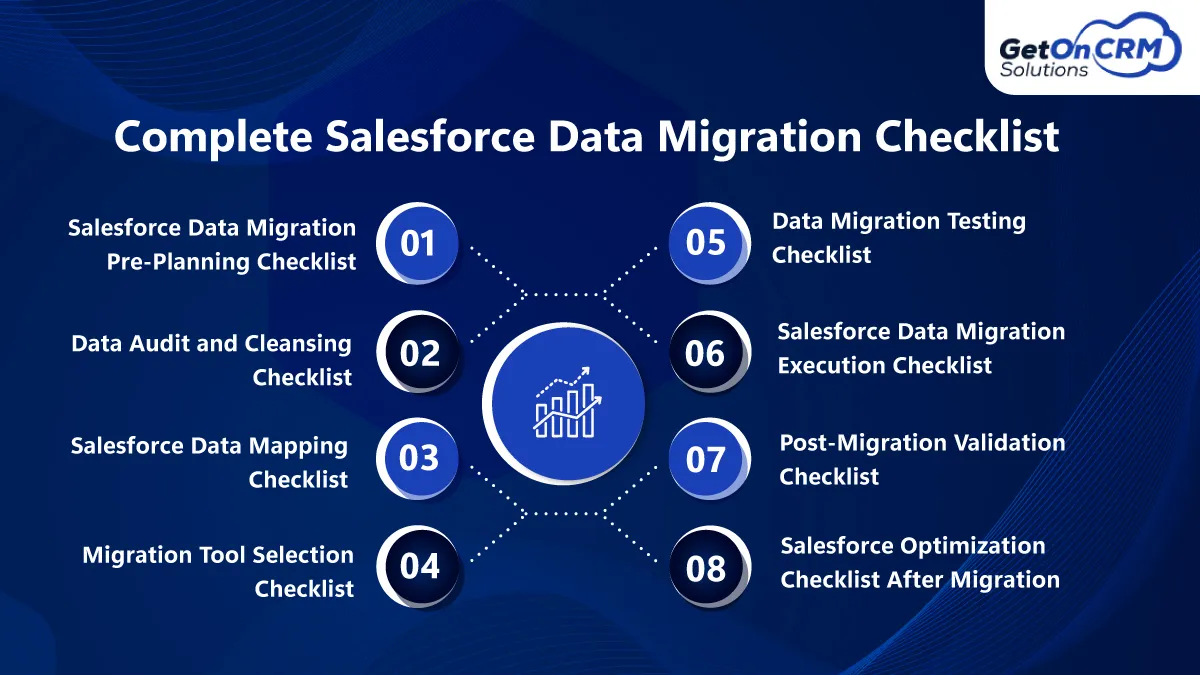
A successful Salesforce migration starts way before any data is transferred. Effective planning helps organizations identify risks and allocate resources effectively. A Salesforce data migration checklist can help you prevent costly mistakes in the process while strengthening the foundation.
🗸 Salesforce Data Migration Pre-Planning Checklist
✤ Business & Project Preparation
• Clearly outline what the migration is expected to achieve and define your measurable outcomes.
• Identify major decision-makers and department representatives, along with individuals responsible for data governance.
• Create a realistic project schedule with critical deadlines and review checkpoints.
• Gather and document business processes along with operational needs.
• Conduct a thorough review of the existing CRM platform and legacy applications.
• Assess the amount of data needed and evaluate the complexities of records and workflows.
✤ Data Source Assessment
▪ List all data sources that need to be migrated, along with systems, databases, spreadsheets, and applications.
▪ Assess which datasets are necessary for business operations and should be prioritized during migration.
▪ Review your existing custom fields along with configurations and unique data structure.
▪ Check relationships between records and identify any dependencies.
🗸 Data Audit and Cleansing Checklist
✤ Data Quality Review
• Locate and combine duplicate customer and contract records to eliminate errors.
• Remove any type of inactive or unnecessary records that no longer offer business value.
• Fill in missing data and update incomplete records if your company needs it.
• Apply consistent formatting rules for company details and other major data fields.
• Verify that contact data, including email addresses and phone numbers, is upgraded.
• Review datasets for inaccuracies and inconsistencies to ensure data authenticity.
✤ Compliance and Security
▪ Identify records containing personal or regulated customer data that need special handling.
▪ Confirm that all data management practices align with applicable compliance standards.
▪ Define clear guidelines for retaining or deleting data based on business and legal needs.
▪ Review user roles and access controls along with security settings to ensure sensitive information remains protected throughout the process.
🗸 Salesforce Data Mapping Checklist
✤ Field Mapping
• Match each source data field with the appropriate standard. You can also take the help of professional Salesforce data migration experts.
• Verify mandatory Salesforce fields and ensure all needed data is available before migration.
• Create detailed documentation for custom fields to ensure unique business data is transferred correctly.
• Assess picklist options and data formats to confirm they align with Salesforce’s needs.
• Determine whether any data needs to be reformatted, combined, or transformed before being imported.
✤ Relationship Mapping
▪ Define how Account records will connect with their associated contacts within Salesforce.
▪ Ensure opportunities, activities, and related records are properly linked to maintain sales history.
▪ Review and validate parent-child record structures to prevent broken dependencies after migration.
▪ Confirm that custom object relationships are accurately mapped and function as required within the Salesforce environment.
🗸 Migration Tool Selection Checklist
✤ Tool Evaluation
• Be assured of functionality, automation capabilities, and performance needs required for the migration project.
• Assess whether the Salesforce data loader migration checklist is suitable for handling the volume and complexity of data being migrated.
• Review the Salesforce Data Import Wizard for simple migration scenarios, including standard objects and smaller datasets.
• Explore third-party ETL platforms with modern data transformation and integration services, along with automation capabilities needed.
• Ensure the selected tools can effectively process large datasets without compromising your data authenticity and system performance.
✤ Technical Preparation
▪ Set up and validate the migration environment. This includes sandbox and testing instances where applicable.
▪ Confirm that all needed user accounts, permissions, and authentication credentials are available and functioning properly.
▪ Initiate data import templates, automation scripts, and migration workflows needed to support the transfer process.
🗸 Data Migration Testing Checklist
✤ Test Migration
• Set up a Salesforce sandbox environment to effectively test migration activities without affecting your live business operations.
• Perform a pilot migration using a representative sample of records from the source system.
• Compare imported records against source data to confirm that record counts match your expected interest.
• Review field mappings to ensure data is populating the correct Salesforce fields and formats.
• Verify that relationships between accounts and other related records remain intact even after migration.
✤ User Acceptance Testing
▪ Review reports and dashboards to confirm that data is displayed precisely and support your business decision-making.
▪ Test workflows, automations, and integrations to ensure they function correctly with your migrated data.
▪ Confirm that user roles, profiles, and permission settings offer appropriate access to records and system features.
▪ Get feedback from stakeholders and get formal approval before proceeding with the final production migration.
🗸 Salesforce Data Migration Execution Checklist
✤ Pre-Go-Live Tasks
• With the help of Salesforce data migration experts, you can create a complete backup of all source data to ensure information can be recovered.
• Temporarily restrict updates and modifications within source systems to prevent data inconsistencies.
• Communicate the migration timeline and major milestones to all stakeholders.
• Verify the migration tools and technical teams are completely prepared for execution.
✤ Migration Execution
▪ Import account records into Salesforce and verify that organizational and customer information is transferred correctly.
▪ Migrate your contact records while maintaining the association with the proper Accounts.
▪ Transfer Opportunity data, including sales pipeline data and related business records.
▪ Move activities, tasks, notes, and communication records to preserve valuable customer interaction history.
🗸 Post Migration Validation Checklist
✤ Data Verification
• Compare record totals in the source system and Salesforce to confirm that all expected data has been transferred successfully.
• Review migrated records to ensure critical data is complete.
• Validate relationships between accounts, contacts, and opportunities to maintain consistency.
• Examine custom object data to verify that unique business data has been migrated effectively.
• Identify and address any duplicate records that might have been introduced during the migration process.
✤ Functional Validation
▪ Review reports and dashboards to ensure they display accurate data.
▪ Test workflows and validation rules to confirm they function properly.
▪ Verify that integrations with third-party apps and other connected tools are working properly.
▪ Confirm that user roles and permission settings offer the correct level of access.
🗸 Salesforce Optimization Checklist After Migration
✤ Performance Adoption
• With the help of a professional Salesforce data migration partner, assess system performance.
• Address user-reported issues.
• Offer Salesforce user training for better operations.
• Update SOPs and documentation for effectiveness.
• Establish ongoing data governance practices to prevent legal troubles.
✤ Continuous Improvement
▪ Always schedule regular data audits.
▪ Assess data quality to be assured of relevance.
▪ Review security settings from time to time.
▪ Optimize Salesforce processes and workflows for better management.
Also Read: Best Salesforce Integration Tools for AI-Driven Business Automation
Salesforce Data Migration Best Practices for Long-Term Success
If you desire long-term results, here are some steps to follow for the best Salesforce data migration.
❏ Establish Data Governance Policies
Strong data governance ensures that Salesforce remains organized and reliable long after migration is complete. Define clear rules and data maintenance to prevent inconsistencies.
❏ Maintain Data Quality Standards
Data quality should be monitored all the time. Further, go for regular audits, duplicate checks, and data cleansing activities to keep your records accurate and complete.
❏ Automate Data Validation
Salesforce validation rules, duplicate management tools, and automated workflows can help you maintain data accuracy. Further, with the help of a Salesforce data migration partner and automation, you can reduce errors.
❏ Train Users and Administrators
User adoptions play a critical role in long-term CRM success. Offering training on data entry standards, workflows, and system administration helps employees use Salesforce effectively while maintaining data integrity.

Ready to Ensure a Successful Salesforce Data Migration?
A successful data migration needs careful planning and accurate mapping along with expert guidance. Following a structured migration checklist helps organizations minimize risks while avoiding costly delays. Working with an experienced Salesforce data migration partner can simplify the process by offering the expertise required to handle complicated data environments.
Most importantly, businesses should continue prioritizing data quality after migration through ongoing governance and proper maintenance. Clean and authentic data can help you make better and more integral decisions while assuring you of better adoption. This is how you can be sure to get long-term Salesforce success.